Important Notes:
- Only a user with administrative privileges or a group member with the role of Group Chair or Group Administrator may edit a groups summary information (aka Charter).
A. Editing a Group's Existing Summary Information Fields:
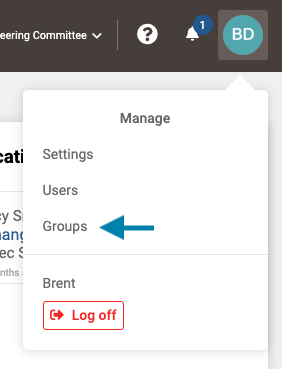
- First access the list of existing groups by clicking on your profile icon in the upper right corner of the application and choosing 'Groups' from the drop down menu that appears.
Note: A user may also select the Group from the Group drop-down list to the left of the help icon if the they are a member of the group.
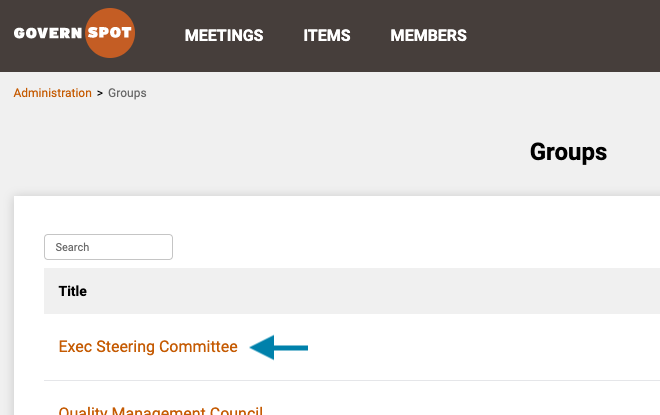
- Next, select the group you to the summary information for by clicking on the group name.
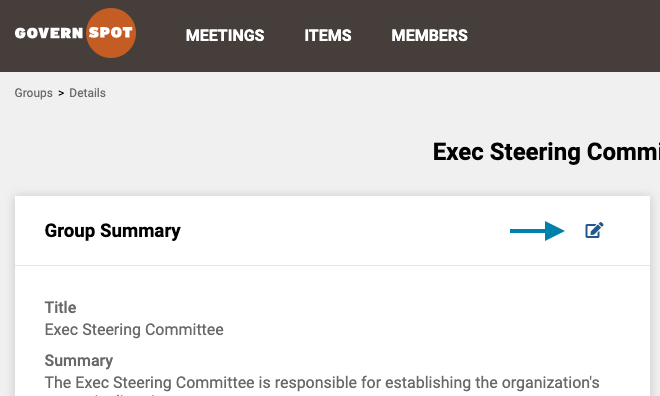
- Next, click the 'Edit' icon in the upper right corner of the Group Summary box on the group page.
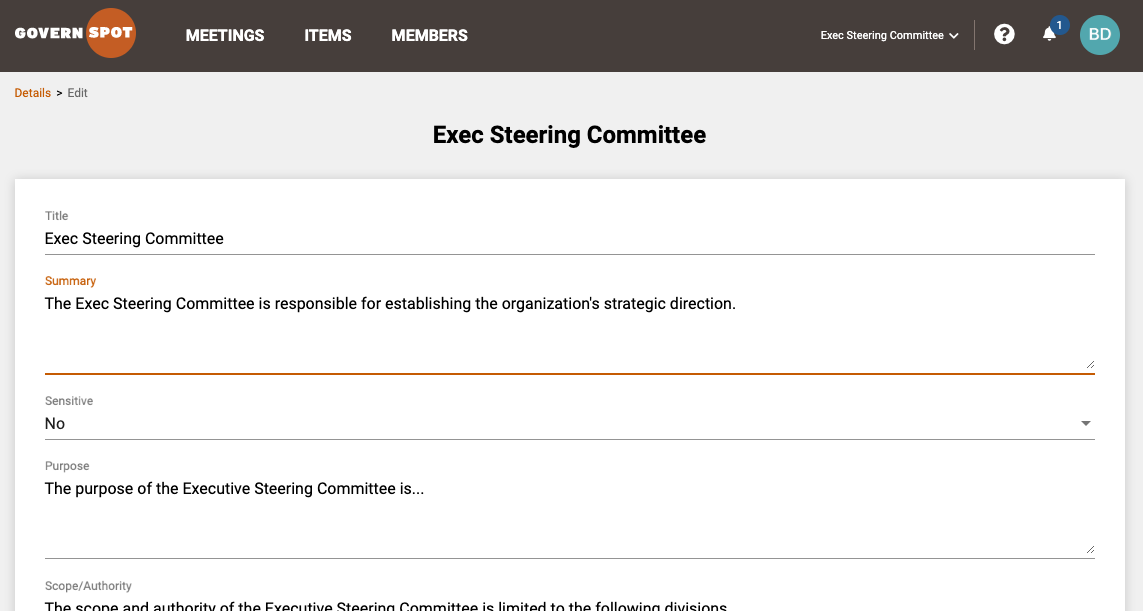
- Lastly, edit the desired field(s) of the group information and click the 'Save' button in the lower right corner of the form to save any changes to the group information.
B. Modifying Available Group Summary Fields
- First access the list of existing groups by clicking on your profile icon in the upper right corner of the application and choosing 'Groups' from the drop down menu that appears.
Note: A user may also select the Group from the Group drop-down list to the left of the help icon if the they are a member of the group.
- Next, select the group you to the summary information for by clicking on the group name.
- Next, click the 'Edit' icon in the upper right corner of the Group Summary box on the group page.
- Next, click the 'Settings' icon in the upper right corner of the Group Summary Edit box.
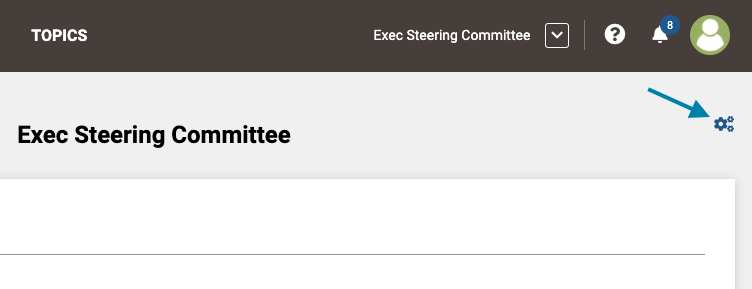
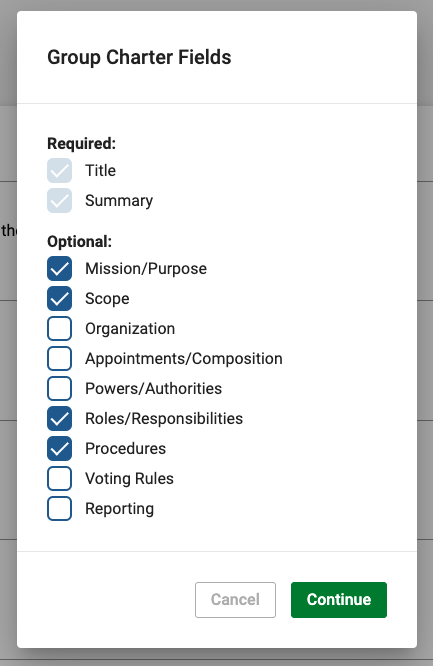
- Next, select or deselect the desired fields and click the green 'Continue' button in the lower right corner of the form.
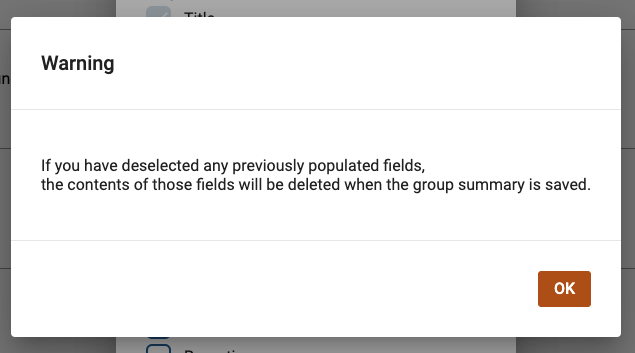
- Next, click 'OK' to acknowledge that any previously selected fields that have been de-selected will have their contents erased if the Group Summary is saved in the final step below.
- Lastly, edit any newly added group summary fields and click the green 'Save' button in the lower right corner of the form.
Comments
0 comments
Please sign in to leave a comment.