Important Notes:
- Any member with access to a group may generate a Group Summary.
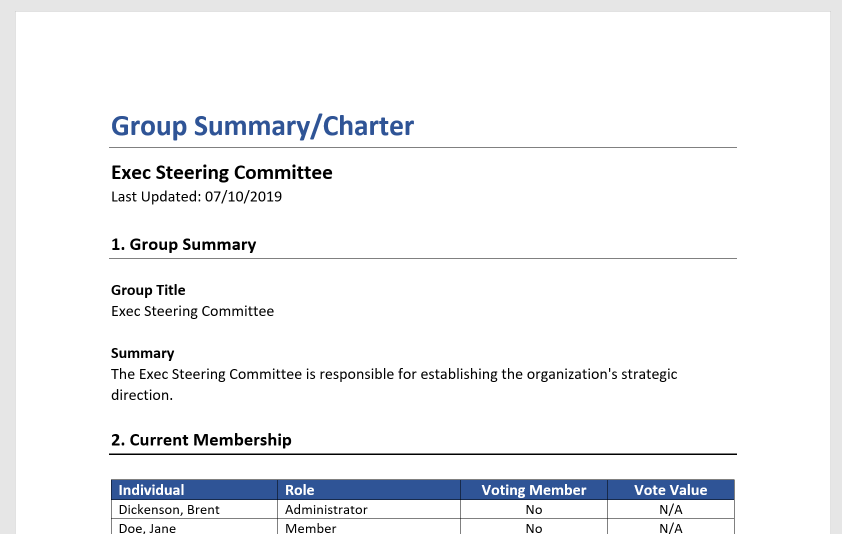
- The Group Summary is exported in Microsoft* Word format.
- Group Meeting Summaries and Group Topic Summaries are exported from their respective pages within the application.
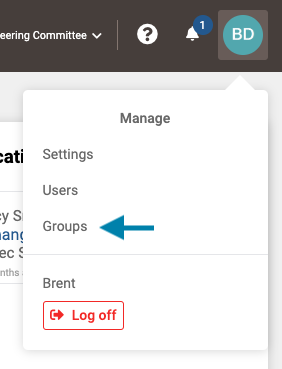
- First, access the list of existing groups by clicking on your profile icon in the upper right corner of the application and choosing 'Groups' from the drop down menu that appears.
Note: A user may also select the Group from the Group drop-down list to the left of the help icon if the they are a member of the group.
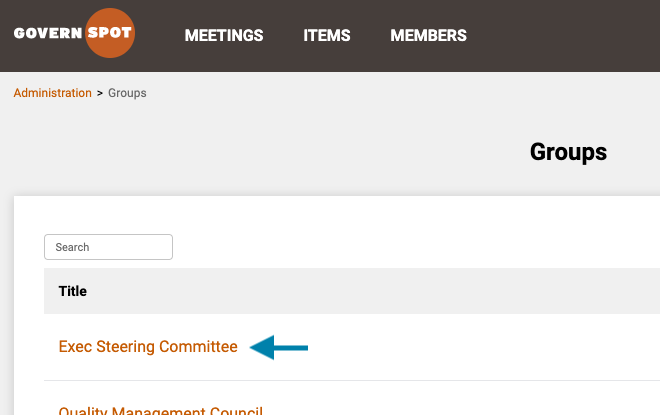
- Next, select the group you wish to generate a summary for by clicking on the group name.
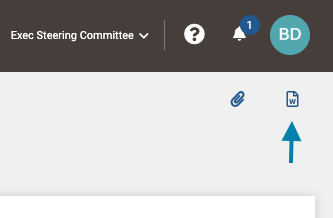
- Next, on the group page, click the 'Document' icon in the upper right corner to generate and download a group summary.
- Lastly, you may save or further edit the document in a compatible document editor.
* Microsoft and Microsoft Word are registered trademarks of the Microsoft Corporation.
Comments
0 comments
Article is closed for comments.