Important notes:
- The dashboard is the main landing/starting page for a system user and aggregates various information across all groups a user is member of such as upcoming meetings or action items - therefore the dashboard is not group specific.
- The dashboard can be accessed at anytime by clicking on the GovernSpot logo in the upper left corner of the application after logging in.
- Descriptions of each frame within the dashboard are provided below.
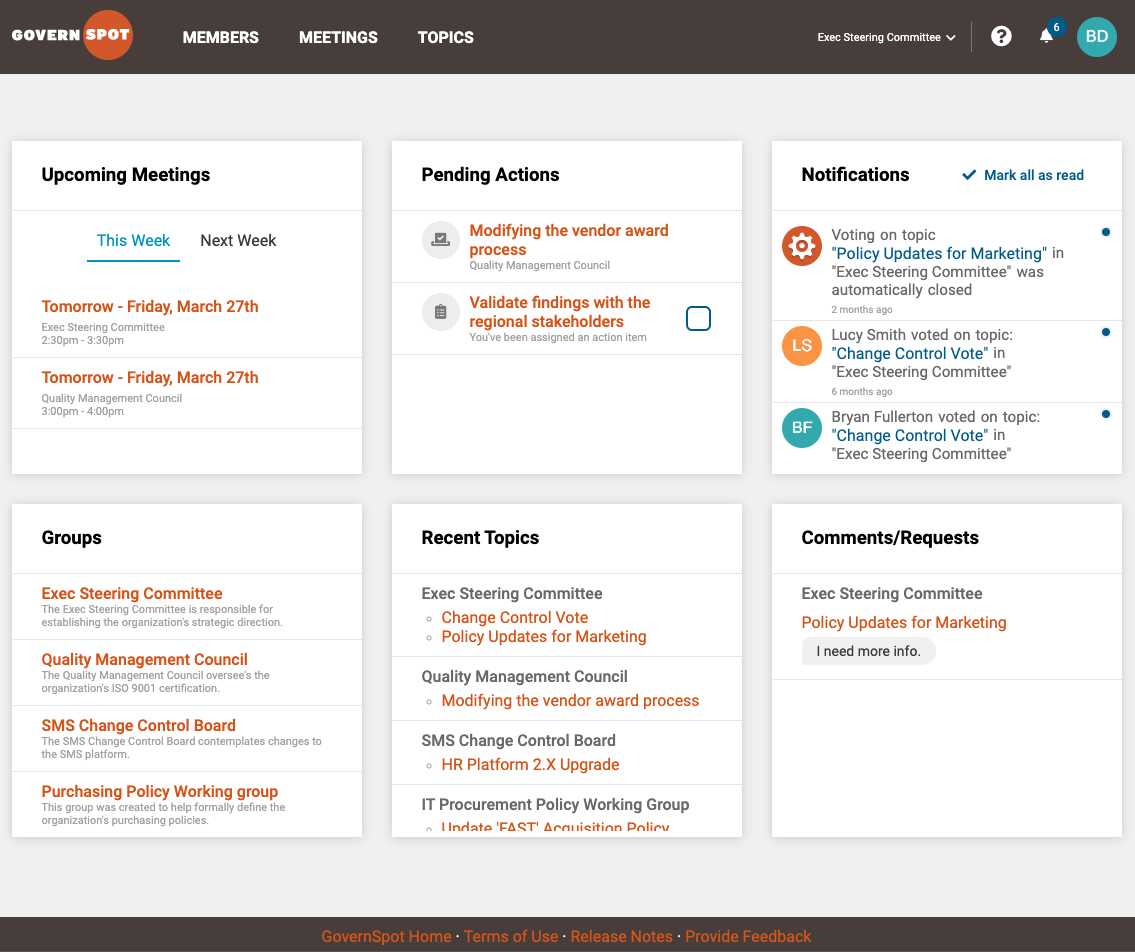
Upcoming Meetings
This frame displays any group meetings the user has been invited to that are coming up during the current or following week.
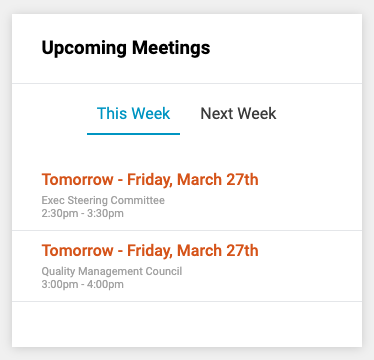
Pending Actions
The Pending Actions frame shows any actions the user is requested to take in the system such as pending vote or an action item assigned to them in the minutes of a meeting. The user can also check the completed box next to an action item to mark it as completed.
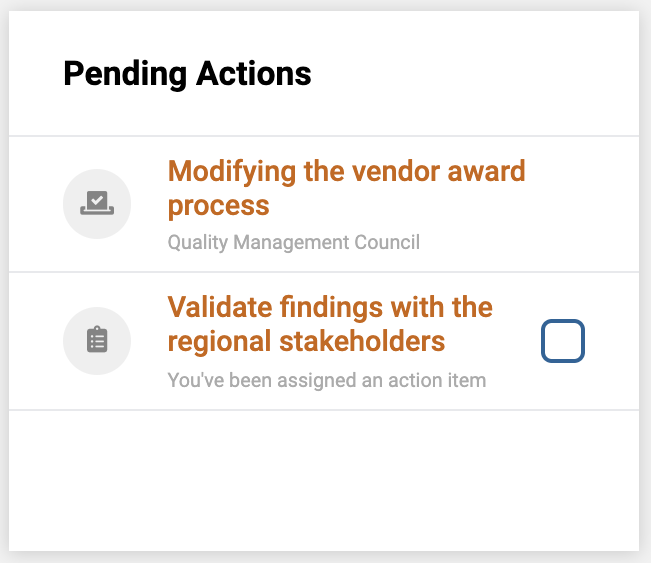
Notifications
Notifications will display a list of activities that have occured in the system by other users such as a vote, comment, or the addition of a new topic to a group. A user can also clear notifications from this frame by clicking on the 'Mark all as read' link.
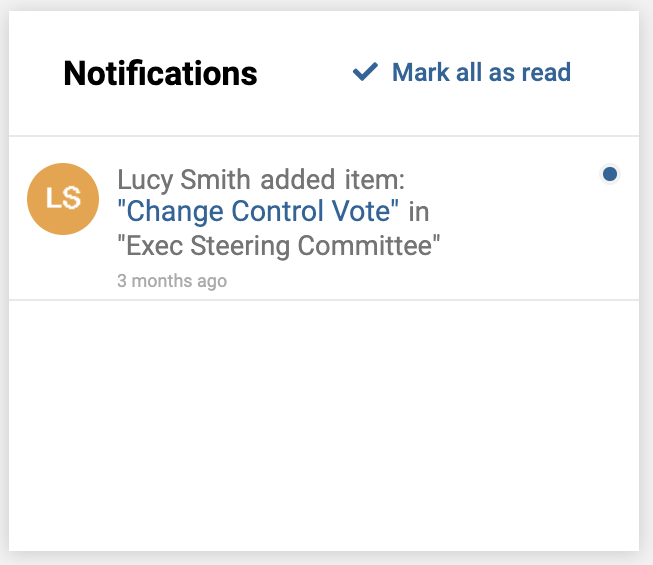
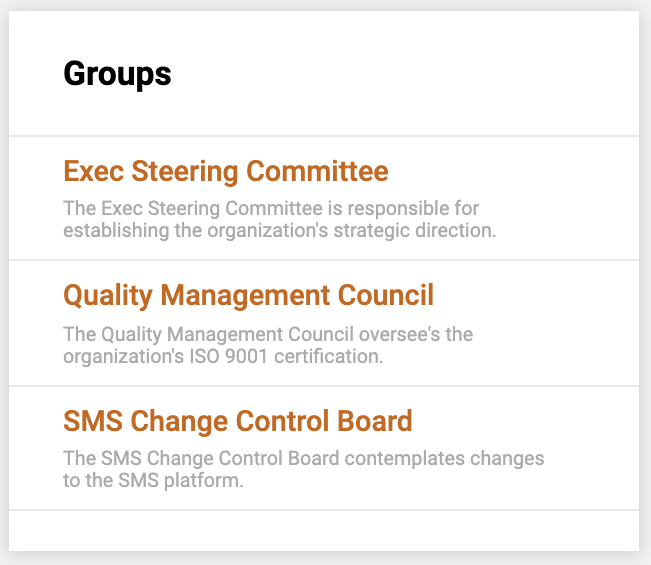
Groups
This frame displays a list of the groups the user is a member of. The user may also access a particular group's home page by clicking on the group's name within this frame.
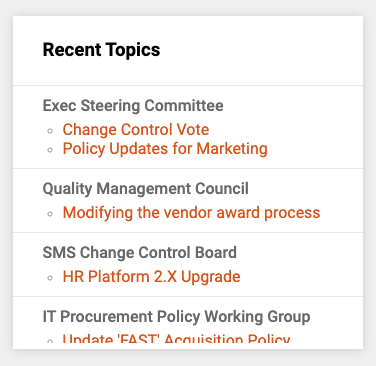
Recent Topics
This frame displays a list of recently added topics to groups the user is a member of. The user may directly access topics from this list by clicking on its title.
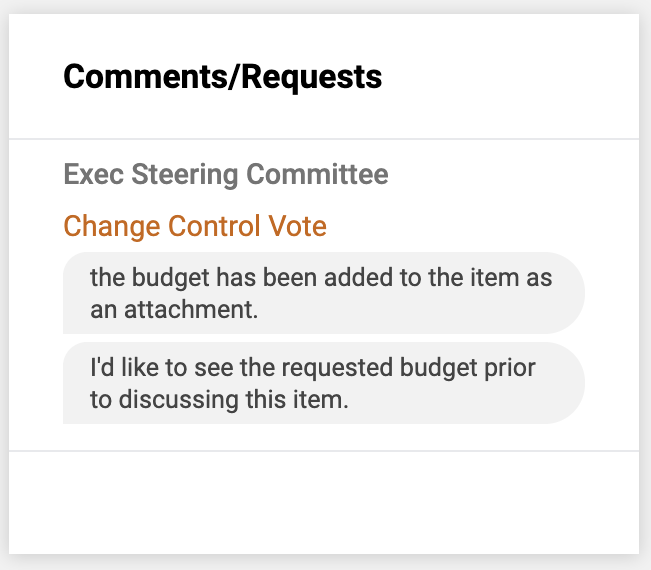
Comments/Requests
This frame displays recently added comments or requests for additional information made within the groups the user is a member of. The user may access the associated topic by clicking on its title from within this frame.
Comments
0 comments
Article is closed for comments.