Important Notes:
- Due to the nature of other data related to a topic, such as voting information and connected files, a topic cannot be deleted from the system, only closed.
- Closing a topic hides it in topics lists, but they can be accessed by changing the filter of the list to show or include 'Closed' topics.
- Closed topics cannot be edited unless they are re-activated by repeating the steps outlined below.
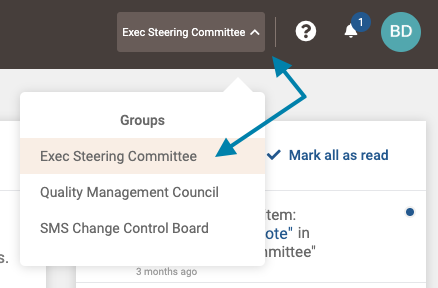
- First, select the group you wish to close a topic in from the group selection menu in the upper right area of the application.
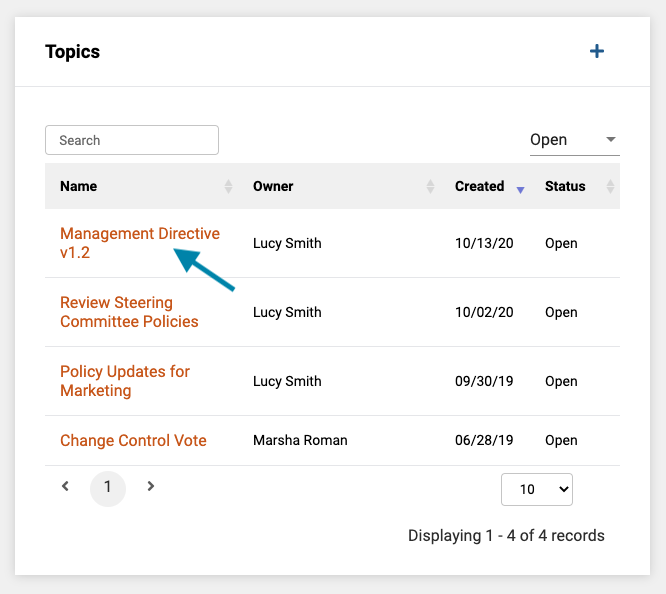
- Next, in the 'Topics' frame on the group page, click on the name of the topic you wish to close.
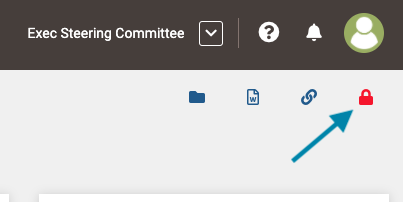
- Next, click the red 'lock' icon in the upper right corner of the topic page.
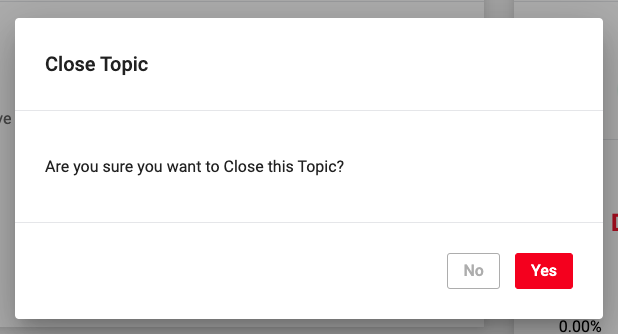
- Lastly, click the red 'Yes' button to close the topic. You can access the topic again by filtering the topics lists to show closed topics.
Comments
0 comments
Article is closed for comments.