Important Notes:
- A system user is someone who possesses access to the associated GovernSpot account. This user by default is not a member of any groups until membership to a group is assigned.
- A group member is a user who has been added to a specific group. Adding a user to a group is described in more detail here.
- A system user may be designated as a member of more than one group but will only possess one user account for access to all groups.
- General user rights are different from group member rights, which are designated at the group level.
- Only a user with administrator privileges can create new system users.
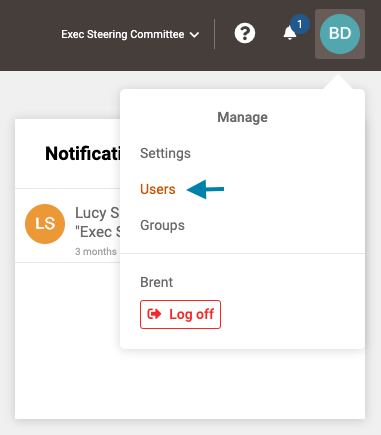
- First access the list of all users by clicking on your profile icon in the upper right corner of the application and choosing 'Users' from the drop down menu that appears.
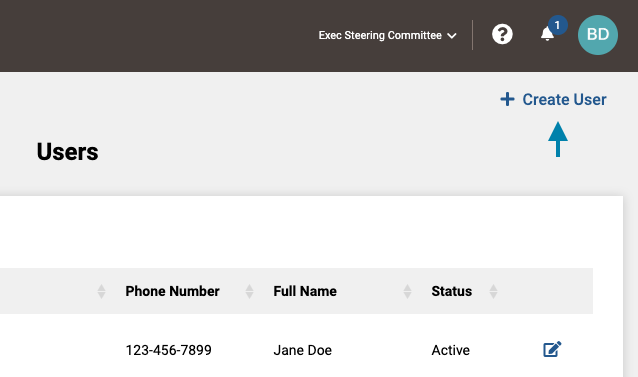
- Next, click on the '+ Create User' link in the upper right area of the application.
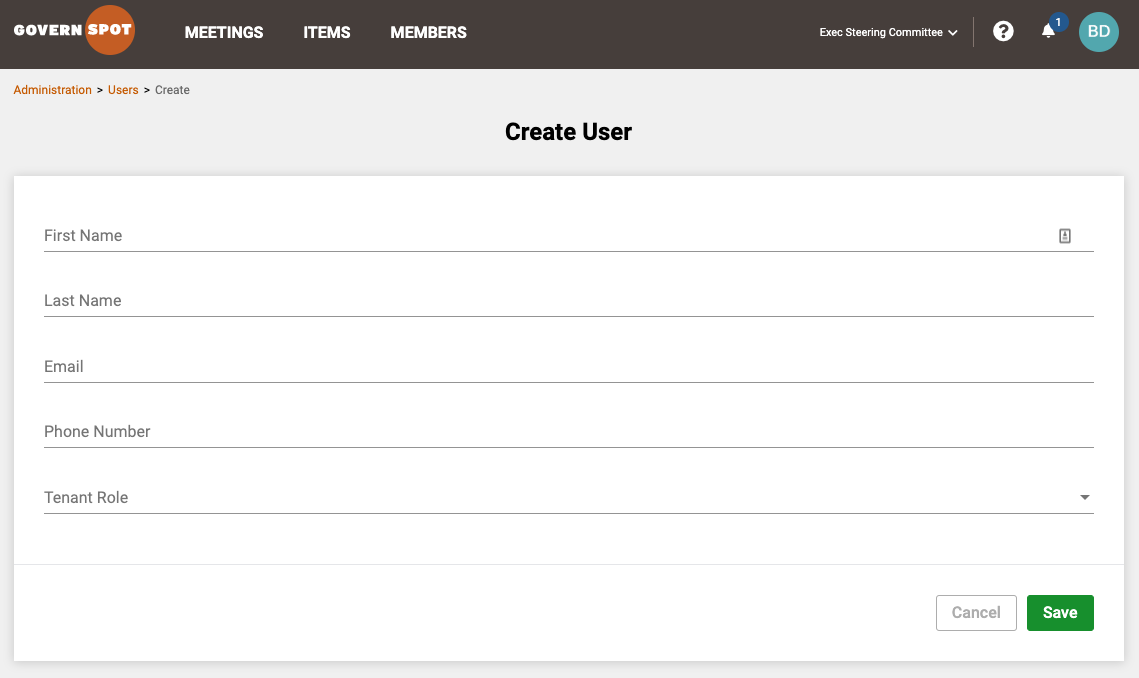
- Lastly, complete the fields and click the 'Save' button to create the user. The user will receive a welcome email which includes a web link for the user to create a password for their account.
Note: When creating a user, a tenant role must be assigned. There are two roles available:
- Regular User - This is the default role for users. This role will not possess access to the account's administrative, subscription, payment, and other settings.
- Administrative User - This role possesses full rights to the system including but not limited to adding and editing user rights and account settings.
Please note that group rights are separate from general user rights and administered at the group level for the associated members of a group.
Comments
0 comments
Article is closed for comments.