Important Notes:
- To vote, a member must possess voting rights - which is set within their member profile accessible from the group page. An example of a non-voting member may be a group administrator who only manages the logistics of the group rather than participating as a full member.
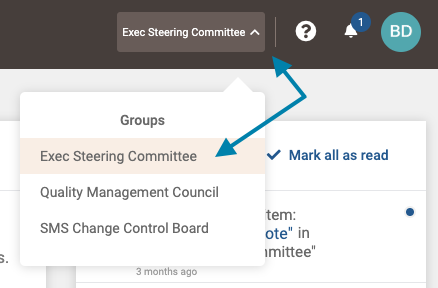
- First, select the group which contains the topic you wish to vote on from the group selection menu in the upper right area of the application.
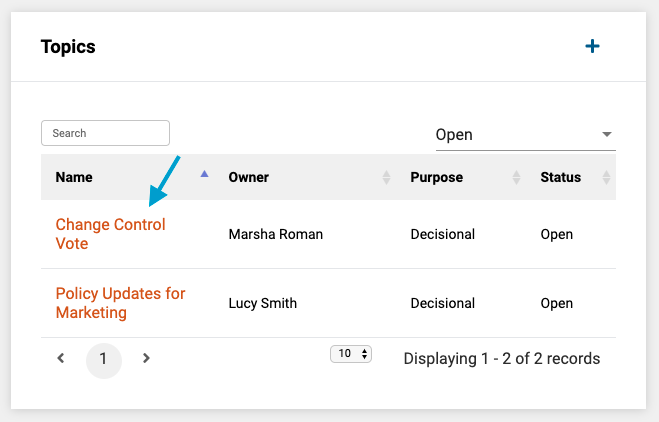
- Next, in the Topics frame on the group page, select the topic you wish to edit by clicking on its title in the list of topics.
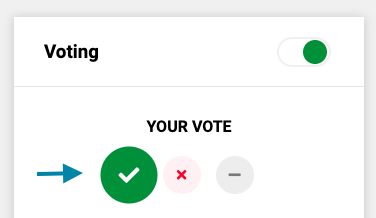
- Next, in the 'Voting' frame on the topic page under 'Your Vote', click your desired vote on this topic:
- Green Checkmark: Voting for or approving the topic
- Red X: Voting against or disapproving the topic
- Grey -: Abstaining from the vote
Note: A vote may be changed from one value to another as long as voting remains open.
Comments
0 comments
Article is closed for comments.