Important Notes:
- Only a group member with the role of chair or administrator may delete comments.
- When a comment is deleted, all responses to the comment will also be deleted.
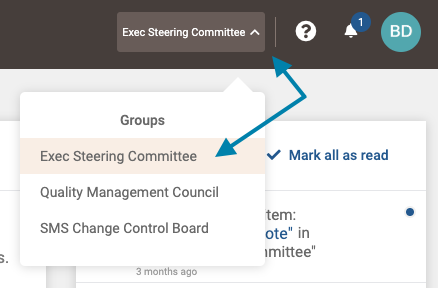
- First, select the group which possesses the topic you wish to delete a comment on from the group selection menu in the upper right area of the application.
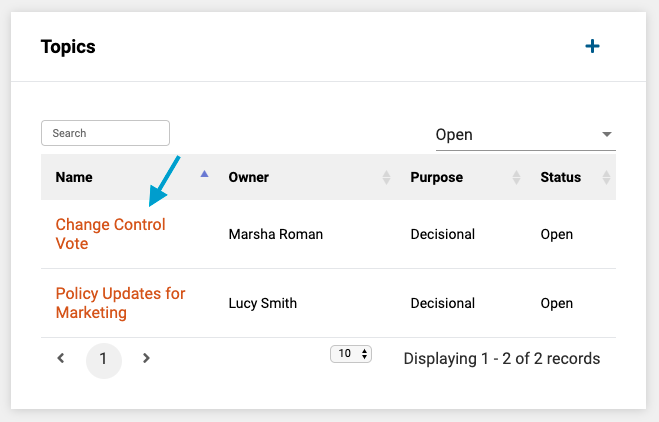
- Next, in the Topics frame on the group page, select the topic by clicking on its title in the list of topics.
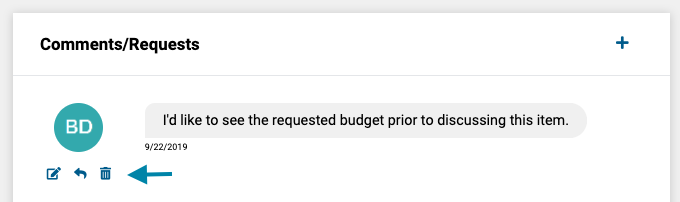
- Next, in the 'Comments/Requests' frame on the topic page, click the 'Delete' icon.
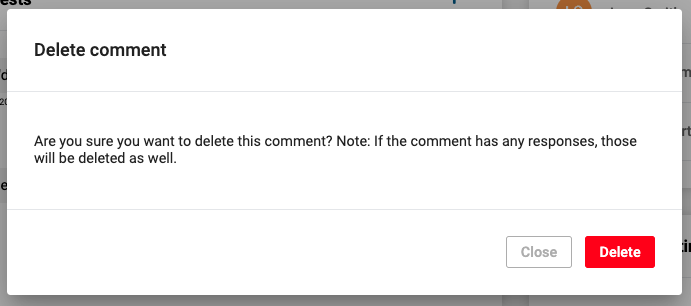
- Lastly, click the 'Delete' button to delete the comment.
Note: All responses to a deleted comment will also be deleted.
Comments
0 comments
Article is closed for comments.