Important Notes:
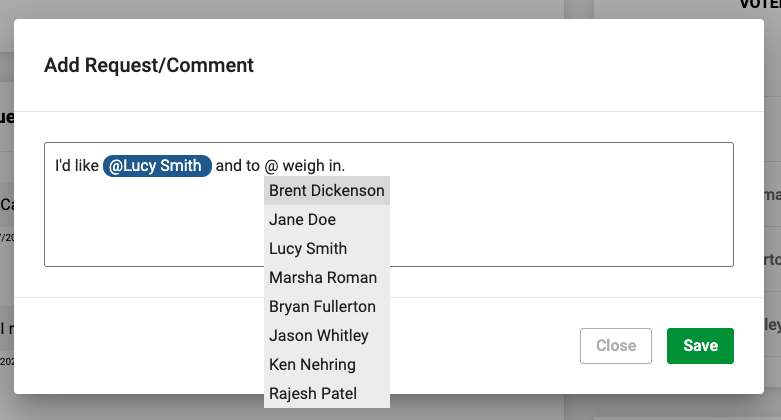
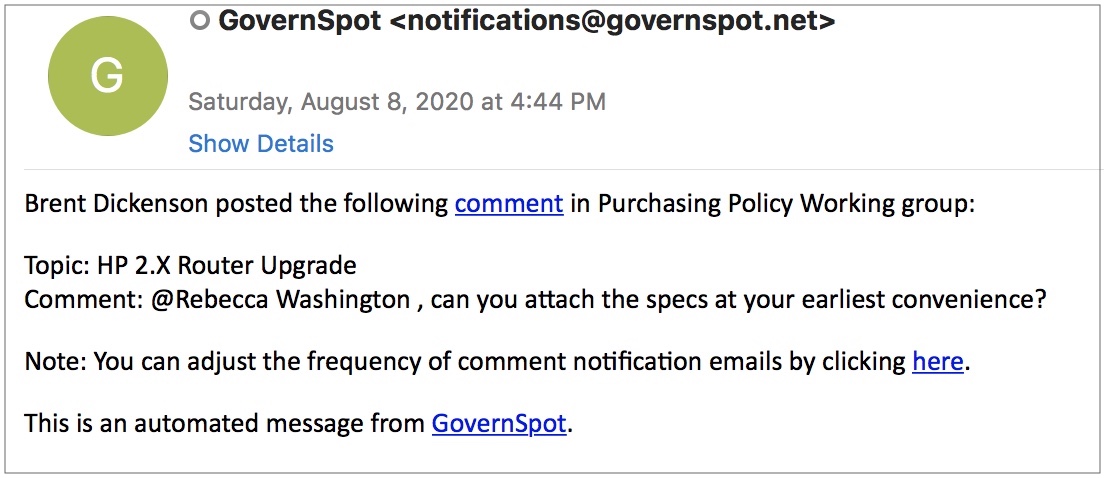
- You can "mention" a specific group member in a comment or response and the group member will receive a notification and email with a link to the comment and letting them know they were mentioned.
- Group Members can set their individual comment notification frequency from within their profile. Instructions for setting notification frequency can be found here.
When creating or editing a comment, enter the @ sign to access a drop down list of group members and select the name of the group member you wish to mention.
When the comment is saved, any mentioned user will receive and email letting them know they were mentioned in a comment.
Note: Group members may be notified immediately or et the end of the day based on their individual notification settings.
Comments
0 comments
Article is closed for comments.