Important Notes:
- Because a Group Member may have other information associated with their membership (voting history, previously assigned action items, etc.), users are never completely removed from a group, they are instead deactivated and can be restored to the group's membership at anytime.
- Only the Group Chair, Group Administrator, or a user with administrative privileges can add or remove members from a group.
Deactivating a Member from a Group:
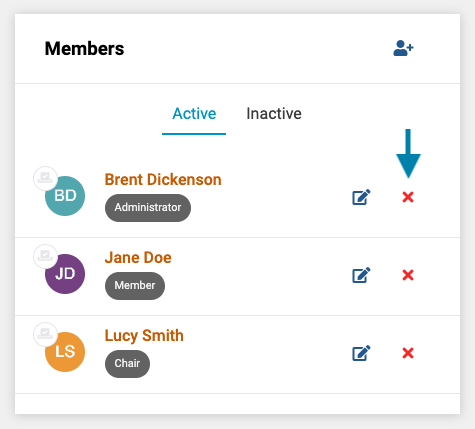
- First, on the members list on the group page, click on the red X icon next to the member's name that you wish to remove.
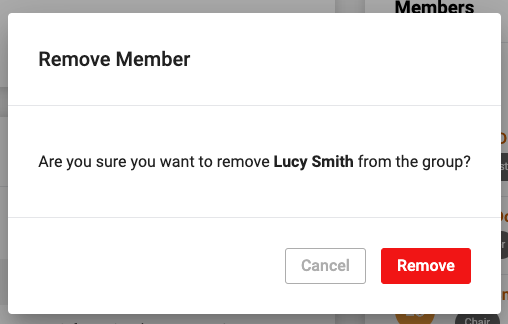
- Next, confirm the removal of the member by clicking the red 'Remove' button.
Note: All historic information related to the member, including votes, comments, and action items will be retained and are not removed or deleted from the system. However, the user will no longer have rights to see/access the group's information.
Reactivating a Member to a Group:
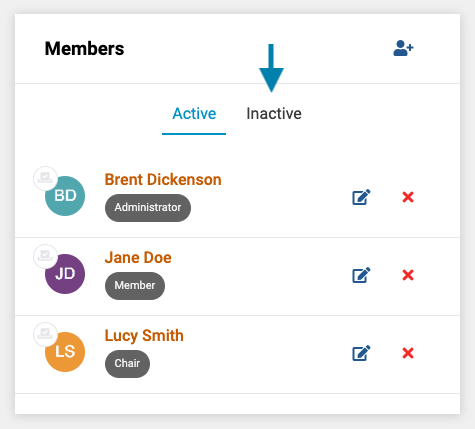
- To reactivate a user who was previously a member of a group back to an active member, first, on the members list on the group page, click on the Inactive Members tab to show the list if inactive members.
- Next, click the curved arrow icon next to the member you wish to reactivate.
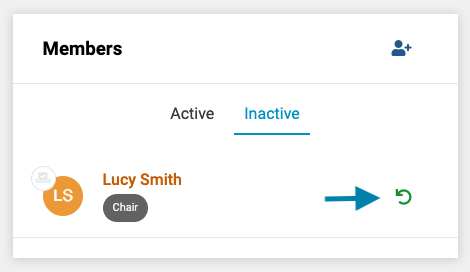
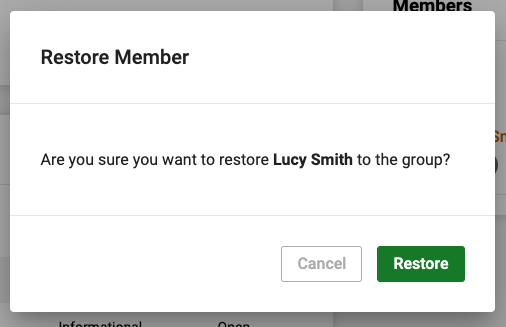
- Lastly, click the green 'restore' button to restore the member to active status.
Comments
0 comments
Article is closed for comments.