Important Notes:
- Only the Group Chair, Group Administrator, or a user with administrative privileges can add or remove members from a group.
- By default, members can view all group records and create topics. You can also enable or configure more granular member rights for a group - click here to learn how.
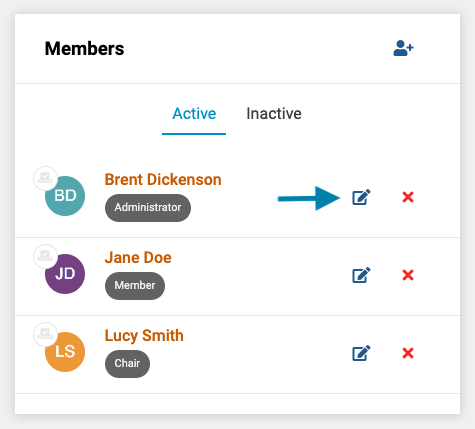
- First, on the members list on the applicable group page, click on the pencil icon next to the member's name that you wish to edit.
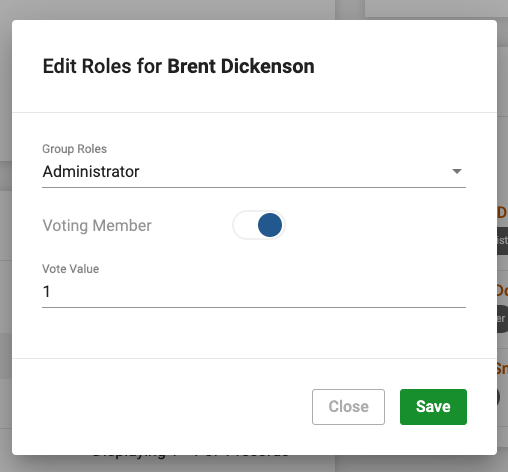
- Next, modify the member's role(s), voting rights, and vote value. Click the 'Save' button to save any changes.
Comments
0 comments
Article is closed for comments.