Important Notes:
- Only the Group Chair, Group Administrator, or a user with administrative privileges can add or remove members from a group.
- Member rights are configured at the group level - changing a user's rights as a member in one group will not affect their rights in other groups.
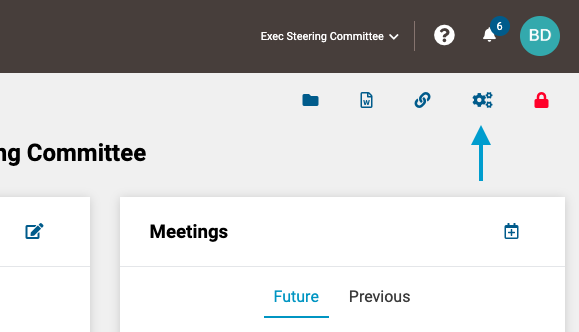
- First, on the applicable group page, click on the 'gears' icon to open the Member Permissions screen.
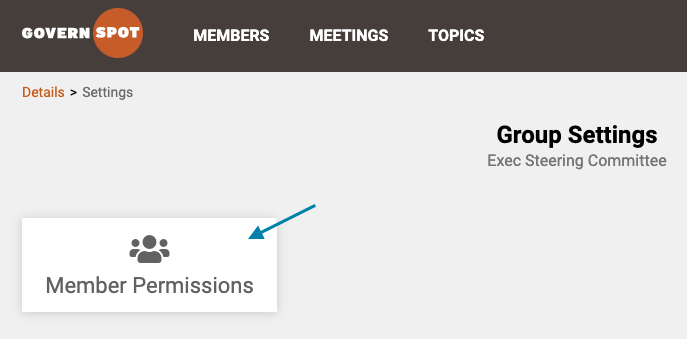
- Next, click on the 'Member Permissions' card/box to open the member permissions settings.
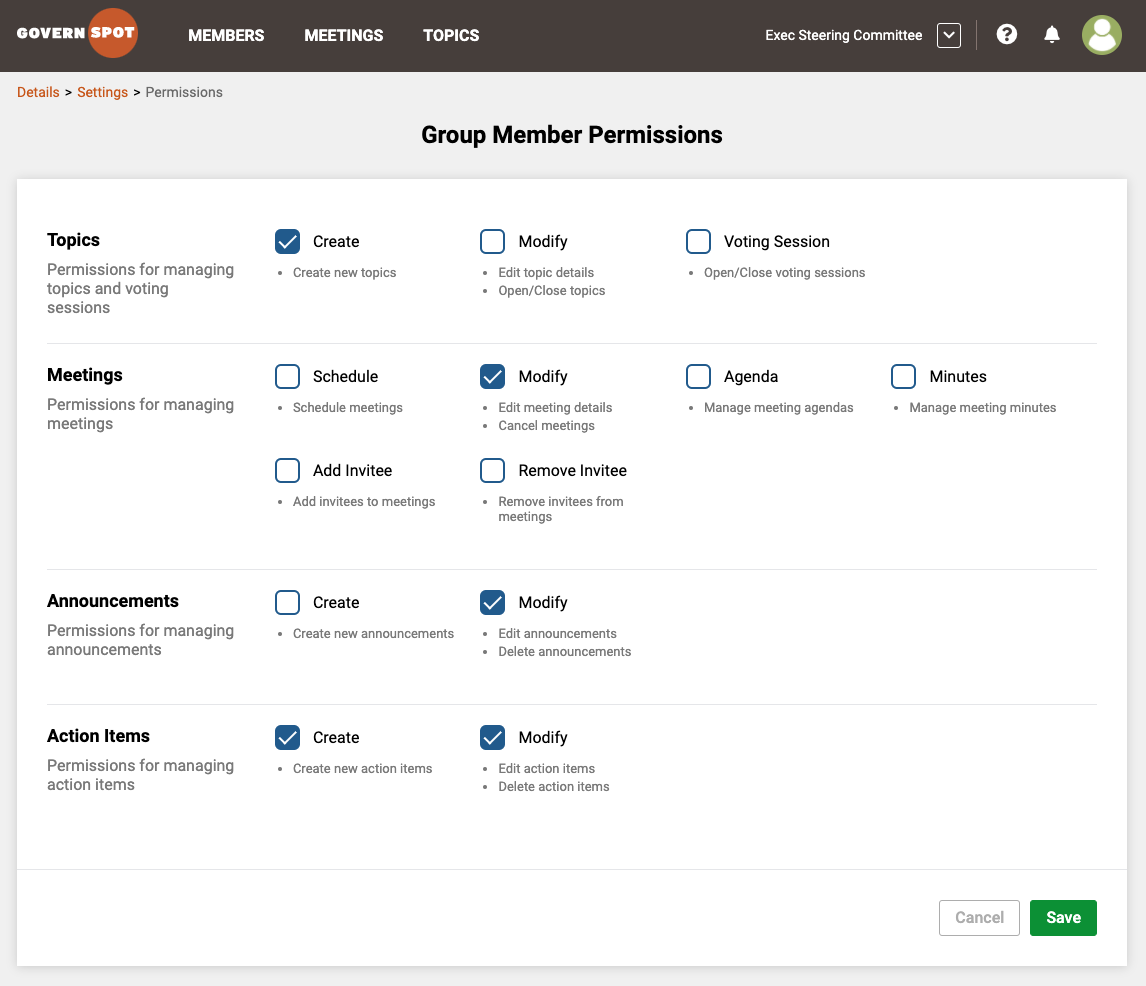
- Lastly, select or deselect the rights you wish for members to have in the group. When you have finished selecting, click the 'Save' button in the lower right corner of the screen.
Note: Members will always be able to edit a topic that they are assigned as the owner regardless of the rights set in Member Permissions.
Comments
0 comments
Article is closed for comments.