Important Notes:
- Deleting your authenticator application or key generation for your GovernSpot User account will not deactivate 2FA - you must follow the procedures below to turn off 2FA on your User account.
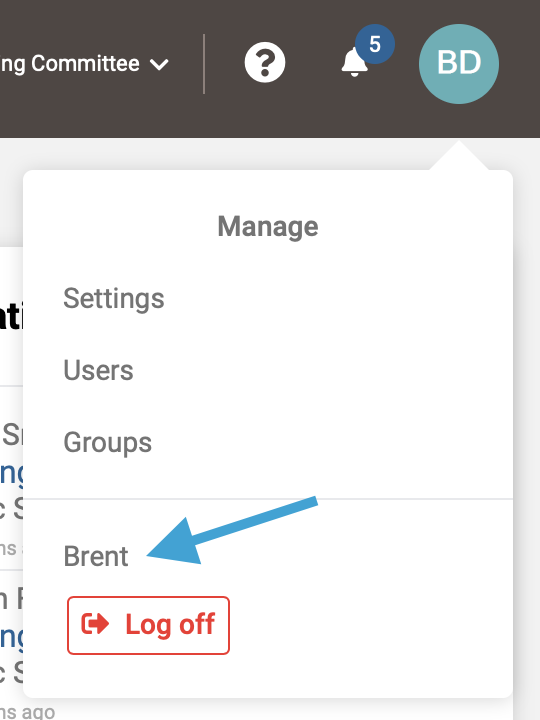
- First, access your User Profile by clicking on your profile icon in the upper right corner and selecting your name from the drop down menu.
Note: Accessing your User Profile from the Member List will bring up your public profile which will not contain the button for activating 2FA.
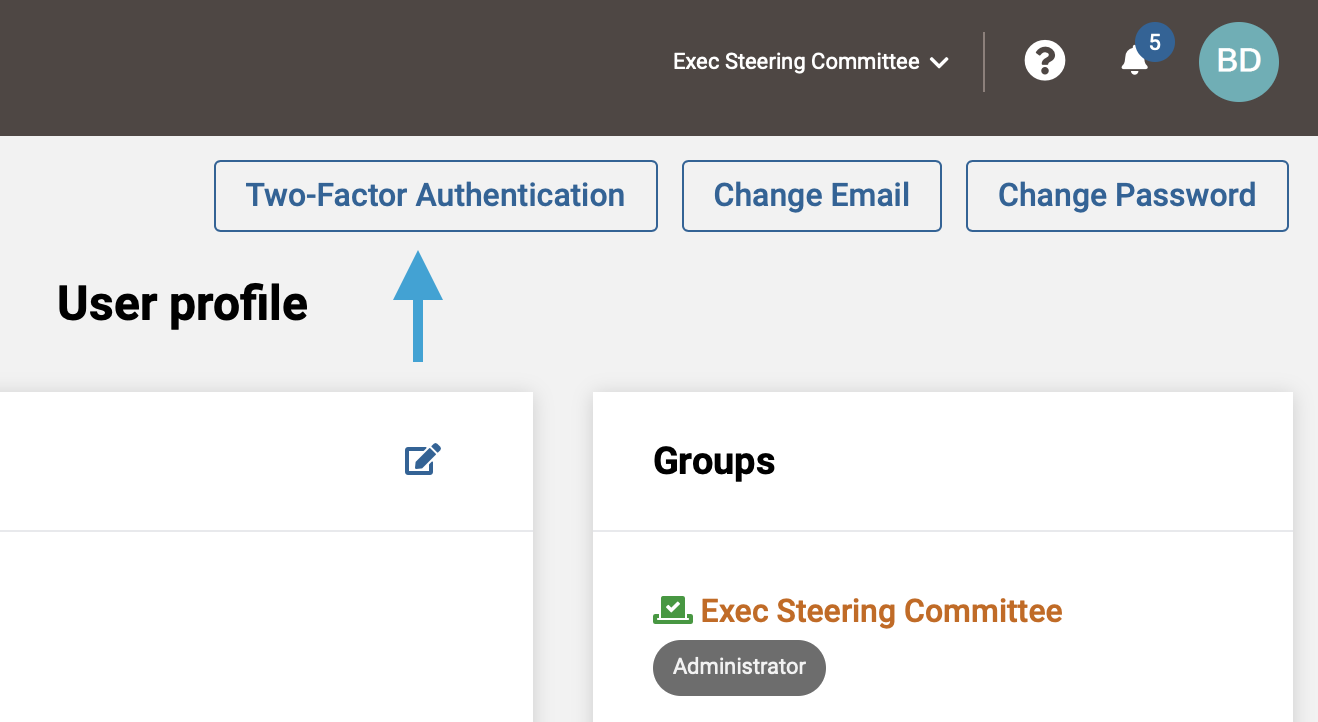
- Next, click the 'Two-Factor Authentication' button above your user profile.
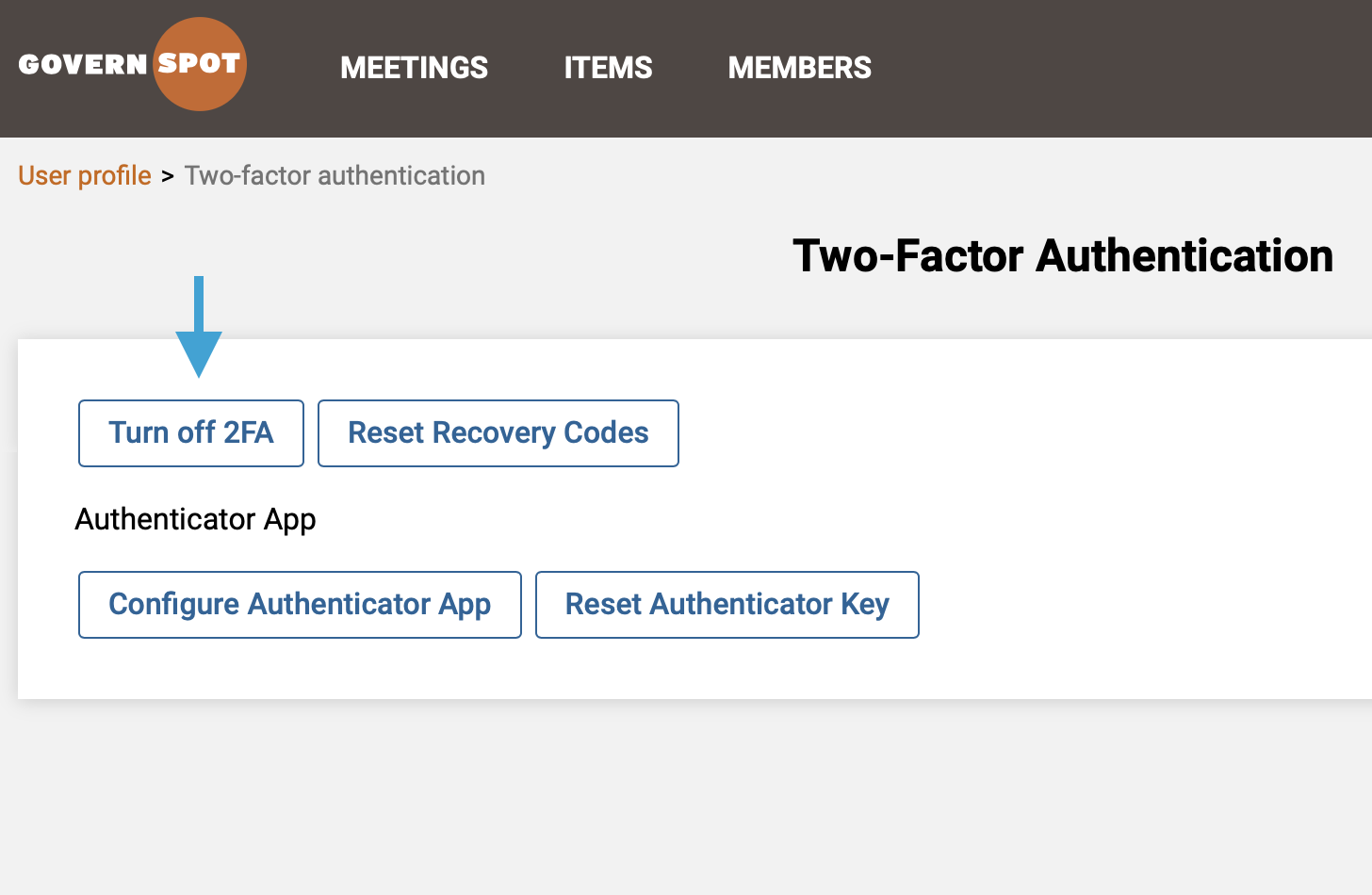
- Next, click the 'Turn off 2FA' button.
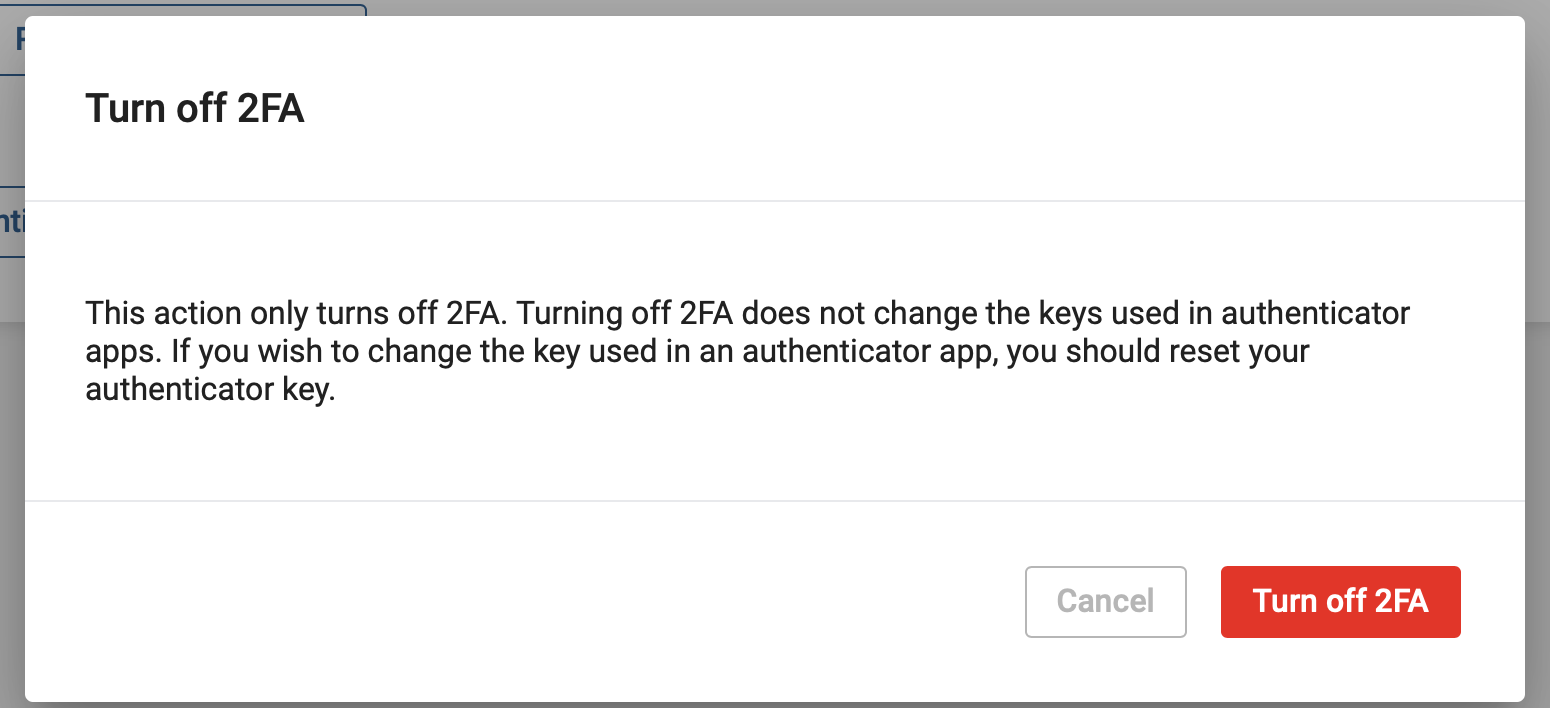
- Lastly, confirm your desire to turn off 2FA ny clicking the red 'Turn off 2FA' button.
Note: Remember to delete any associated entries for your GovernSpot User account on your authenticator application(s) to avoid confusion if you reactivate 2FA in the future.
Comments
0 comments
Article is closed for comments.