Important Notes:
- Recovery codes are one-time use codes to regain access to your account in the event your authenticator application is unavailable.
- Recovery codes are used in the 2FA authentication prompt when logging in, not in the password field. For instructions on changing or resetting a password, please click here.
- GovernSpot will warn you via the notifications feature when you are running low on recovery codes.
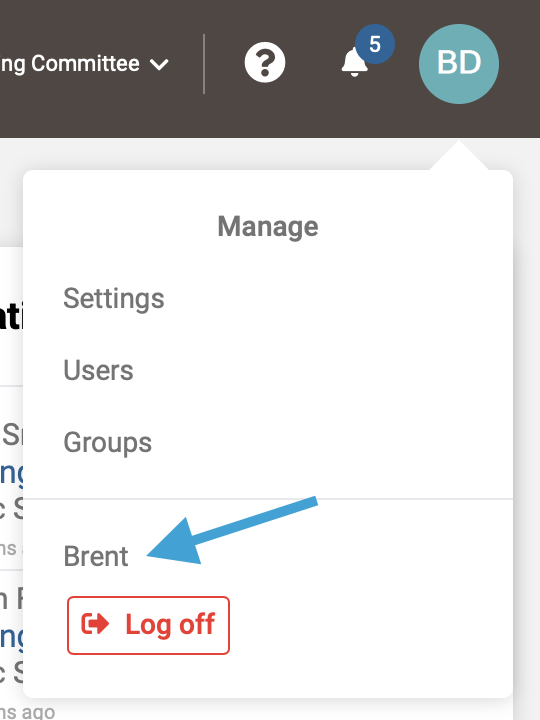
- First, access your User Profile by clicking on your profile icon in the upper right corner and selecting your name from the drop down menu.
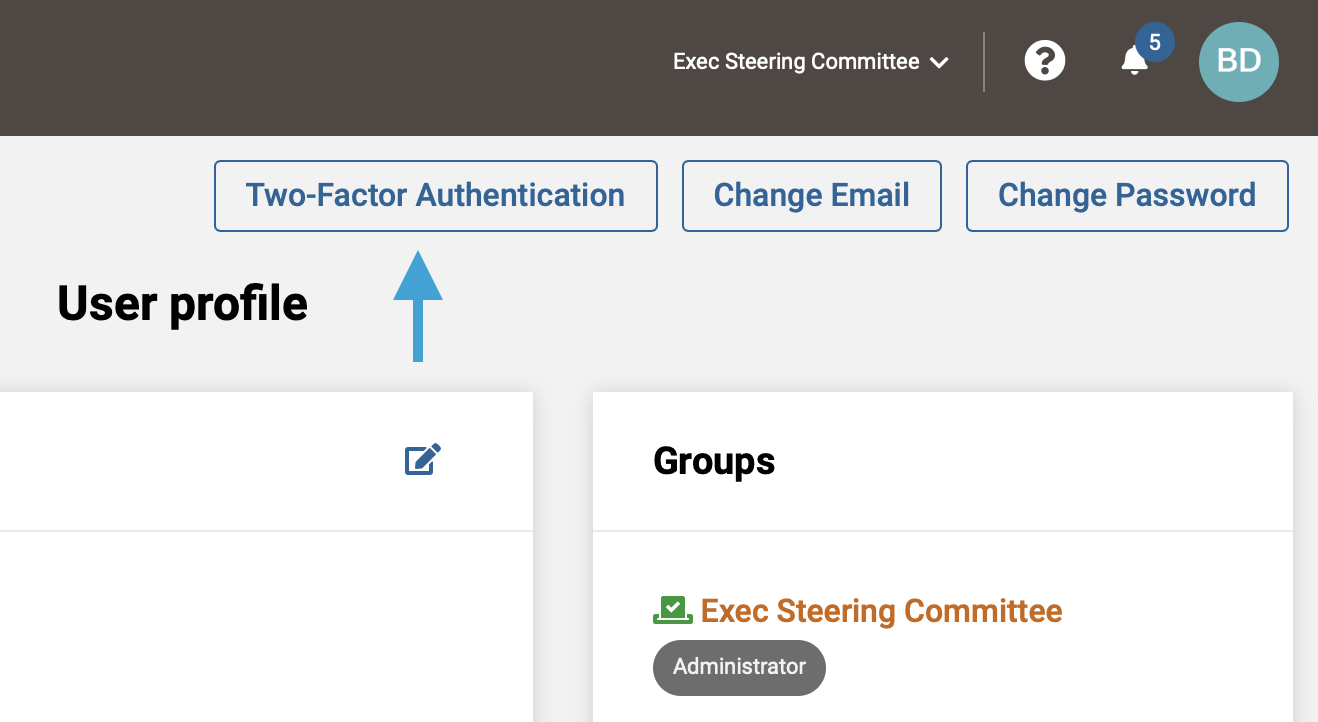
- Next, click the 'Two-Factor Authentication' button above your user profile.
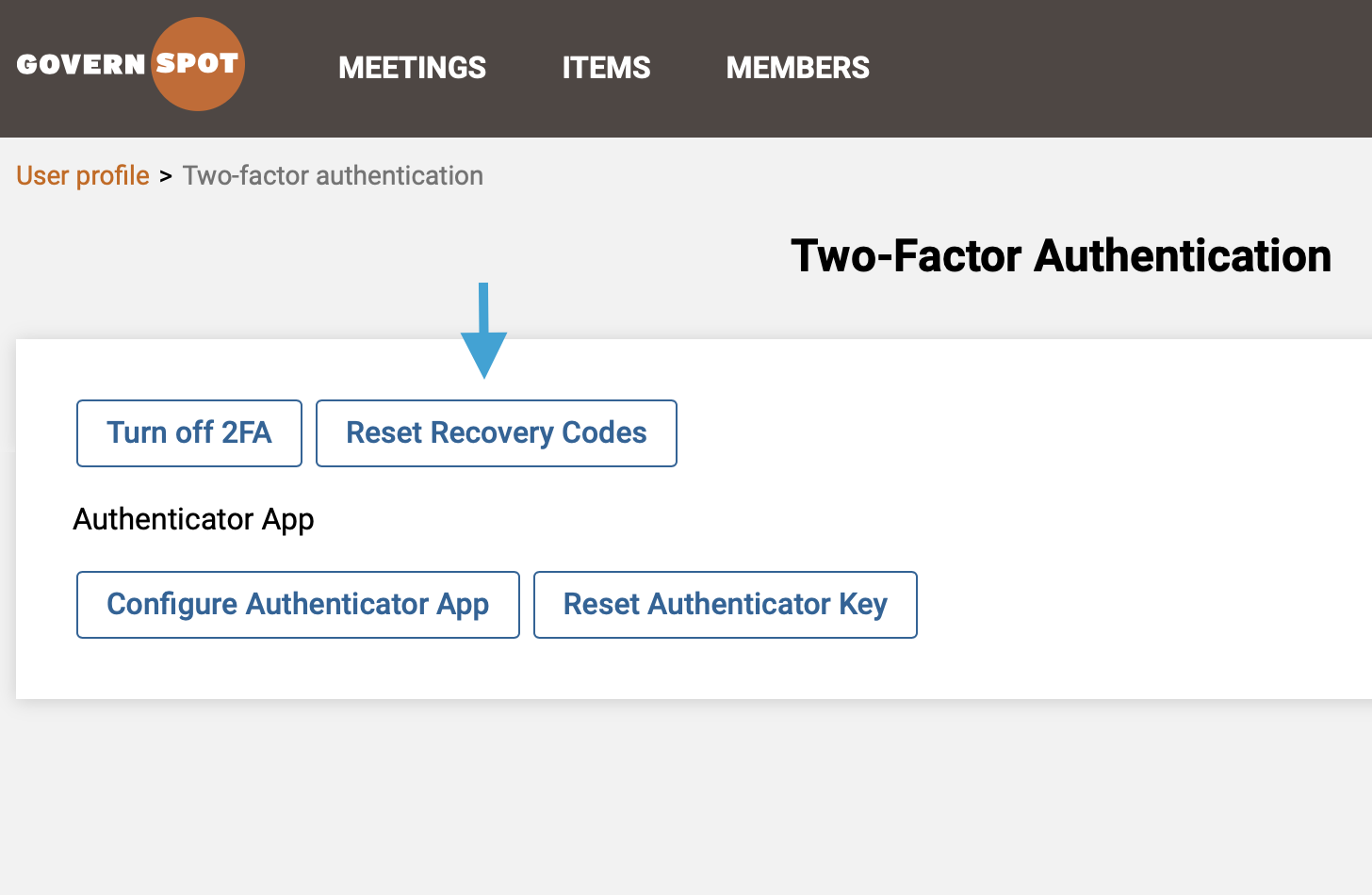
- Next, click the 'Reset Recovery Codes' button.
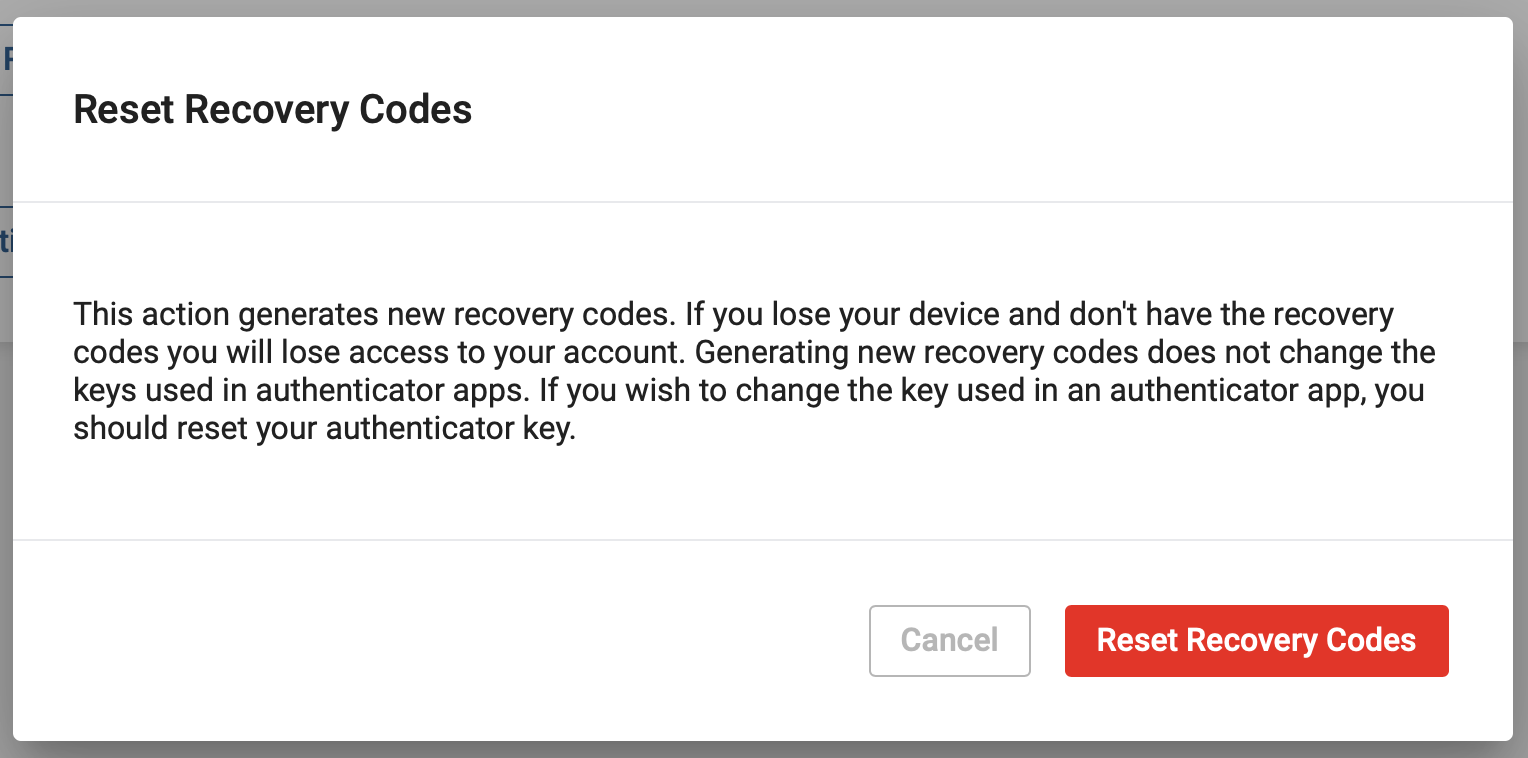
- Next, confirm that you wish to generate new recovery codes for your User account by clicking on the red 'Reset Recovery Codes' button.
Note: Any existing recovery codes previously recorded will no longer work and should be deleted/discarded.
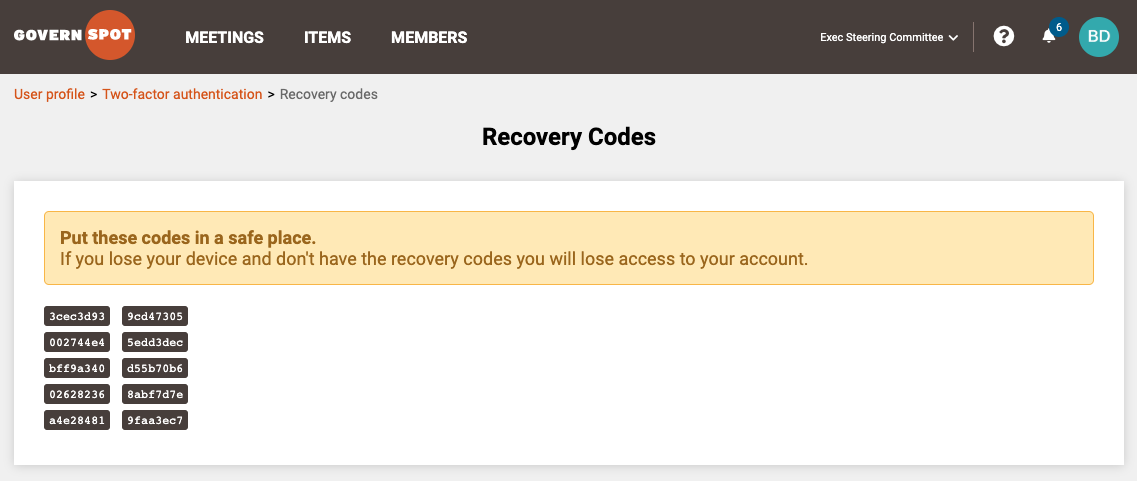
- Lastly, record the recovery codes and store them in a secure place.
Comments
0 comments
Article is closed for comments.