Important Notes:
- An agenda saved as a template can be loaded into a future meeting and can be further customized for that meeting.
- It is most useful for easily loading consistent meeting topics such as 'introductions' or 'Reading of previous minutes' but can be used to save complete agendas for future use.
- Currently only one agenda template is available per group.
- Loading an agenda template will delete any existing topics. You may however add topics or edit the agenda as required after loading the template.
- You cannot load an agenda template if any existing items possess associated meeting minutes as those cannot be removed from the agenda.
Creating an Agenda Template
- First, create the agenda you wish to save as a template by creating a meeting agenda for a meeting or accessing a previously created agenda. Information for creating an agenda can be found by clicking here.
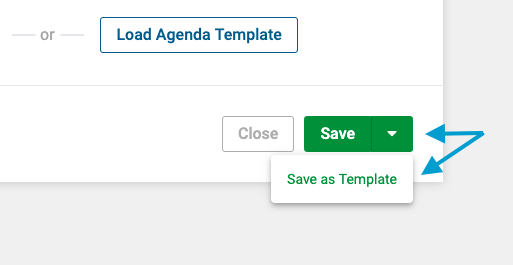
- Next, click the drop-down arrow next to the save button, and then click the 'Save as Template' option.
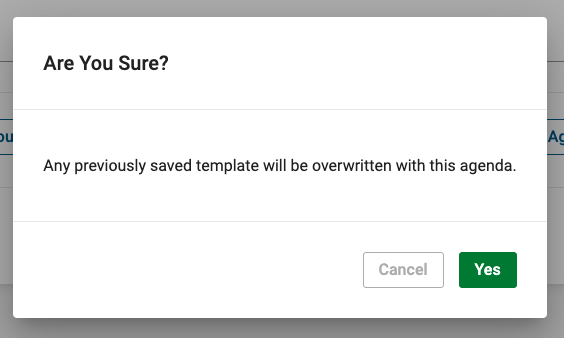
- If another agenda was previously saved as a template, confirm your desire to overwrite the existing template by clicking the green 'Yes' button in the lower right corner of the confirmation dialogue.
Comments
0 comments
Article is closed for comments.