Important Notes:
- You can save for recurring use any external teleconference or videoconference coordinates and credentials to facilitate their addition to group meetings you schedule.
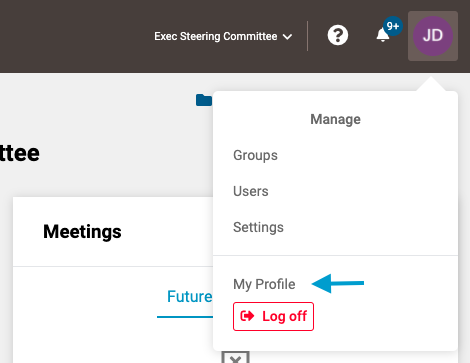
- First, open your profile by clicking on your user icon in the upper right corner of the screen and selecting 'My Profile'.
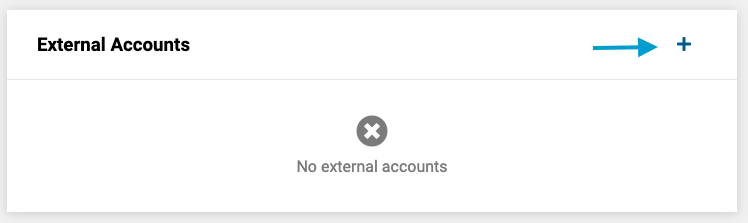
- Next, click on the '+' icon in the 'External Accounts' frame.
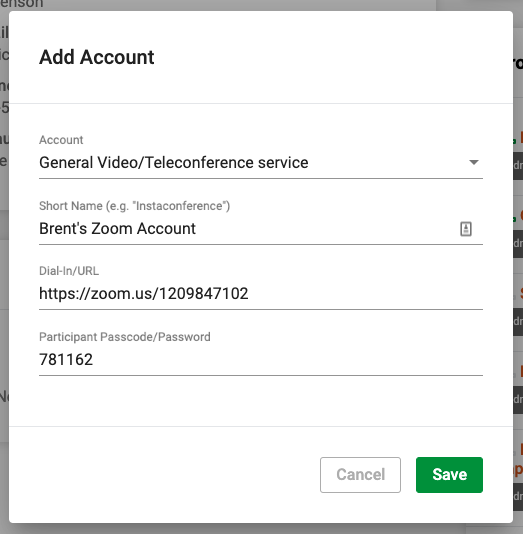
- Lastly, complete the form with the associated information and click the green 'Save' button in the lower right corner of the form.
Note: Currently, only one generic account type option exists - this list will be expanded over time as new automated account integrations are implemented.
Comments
0 comments
Article is closed for comments.