Important Notes:
-
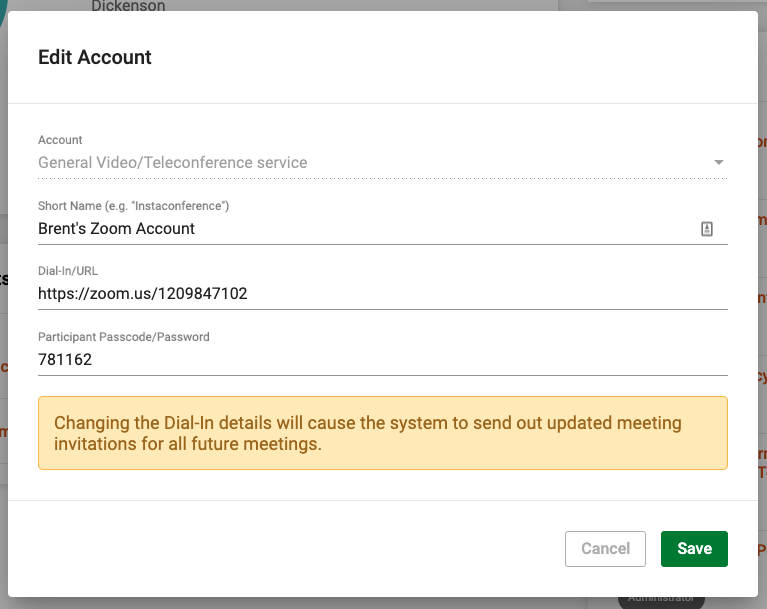
If the service is associated with a future meeting, the system will automatically send out updated meeting invitations to all members reflecting the information change.
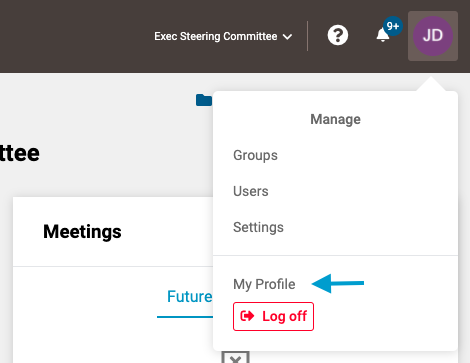
- First, open your profile by clicking on your user icon in the upper right corner of the screen and selecting 'My Profile'.
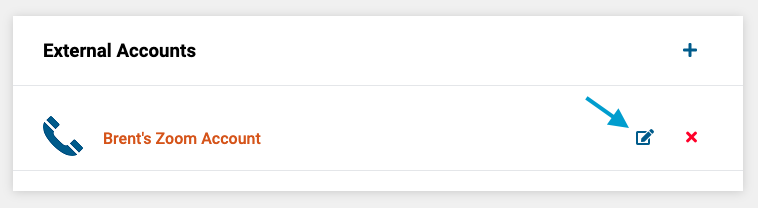
- Next, click on the 'edit' icon next to the service you wish to edit.
- Lastly, change the desired information and click the green 'Save' button in the lower right corner of the form.
Comments
0 comments
Article is closed for comments.