Important Notes:
- Voting rules and settings are set at the group-level, not the account level, and can vary between groups.
- Changing voting rules or settings will not modify any vote that is currently open or has been previously opened - changes will only affect future votes.
- Group vote settings can only be changed by members possessing the role of chair or administrator.
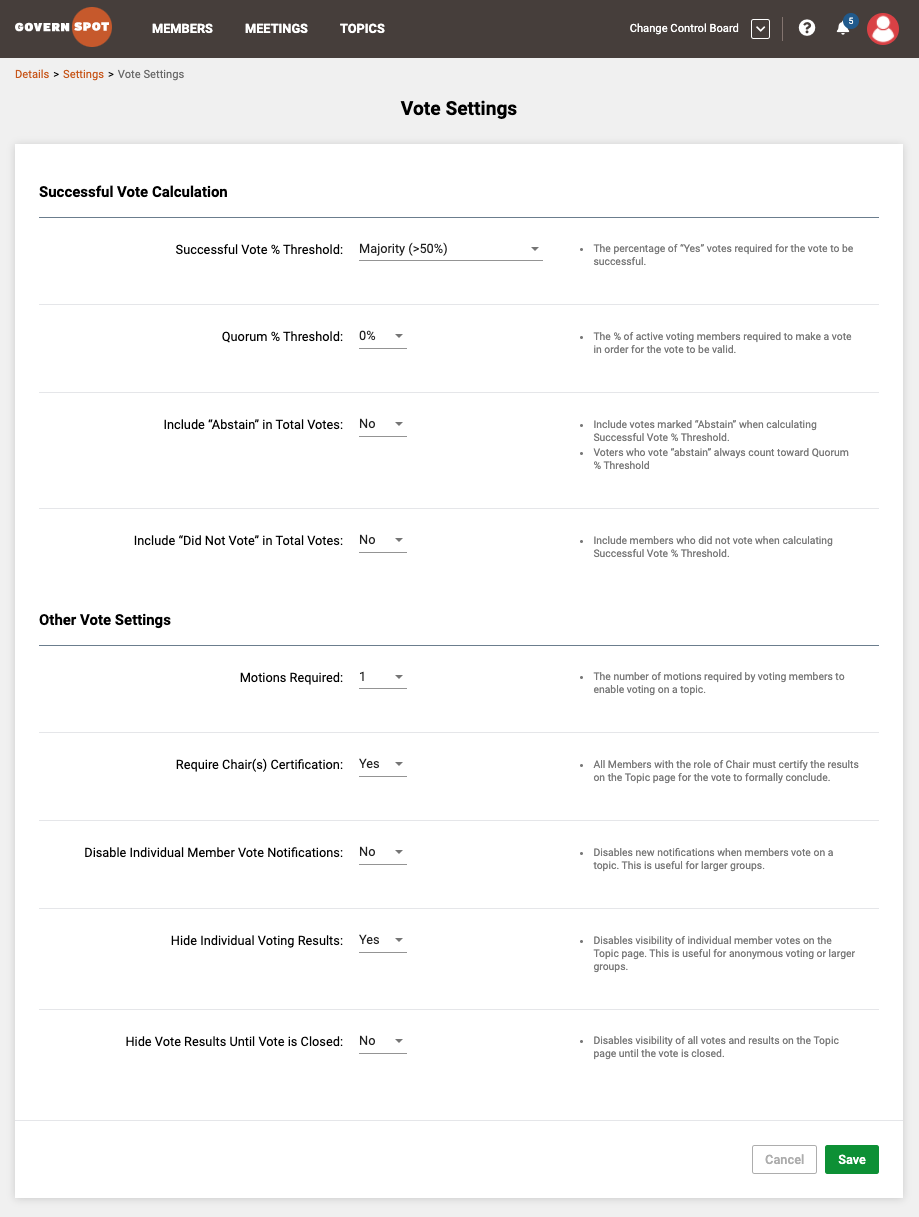
- An explanation of the available vote settings can be found here.
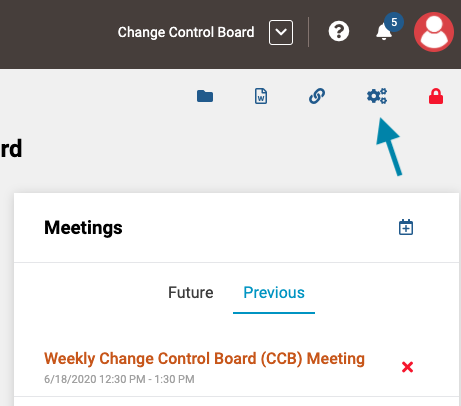
- First from the group page you wish to set or change vote settings for, click on the gear icon in the upper right corner of the form.
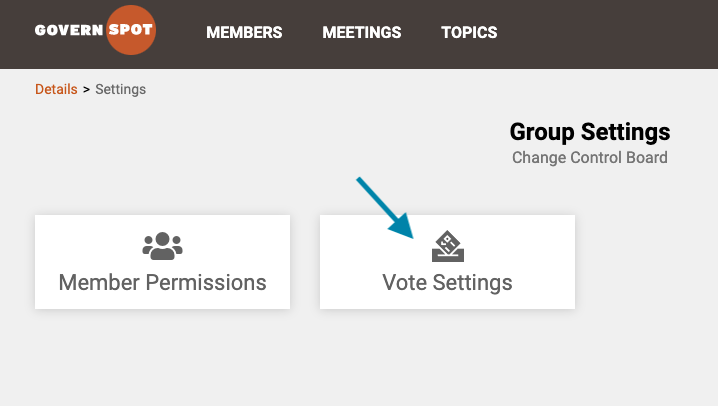
- Next, click the box entitled 'Vote Settings'.
- Lastly, set or modify the desired vote settings and click the green 'Save' button at the bottom of the form.
Comments
0 comments
Article is closed for comments.