Important Notes:
- A group member who is assigned an action item will always have the rights to mark the action item complete or reassign it.
1. Marking an Action Item Complete (As the Assignee)
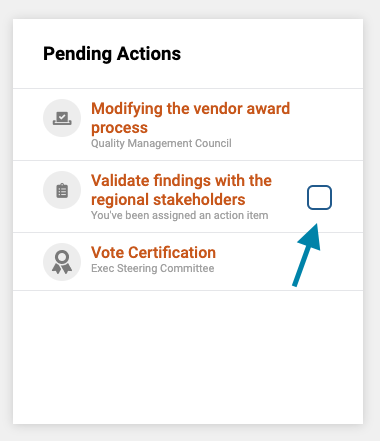
If you are the assignee of an action item, you can click the check box next to the action item from the 'Pending Actions' box on your dashboard.
2. Marking an Action Item Complete (Other Group Members)
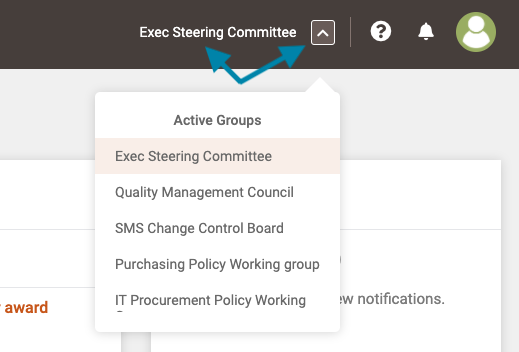
- First, click on the name of the group in the upper right corner of the application to open the group page or, if you wish to access a different group, click on the arrow box and select the desired group name.
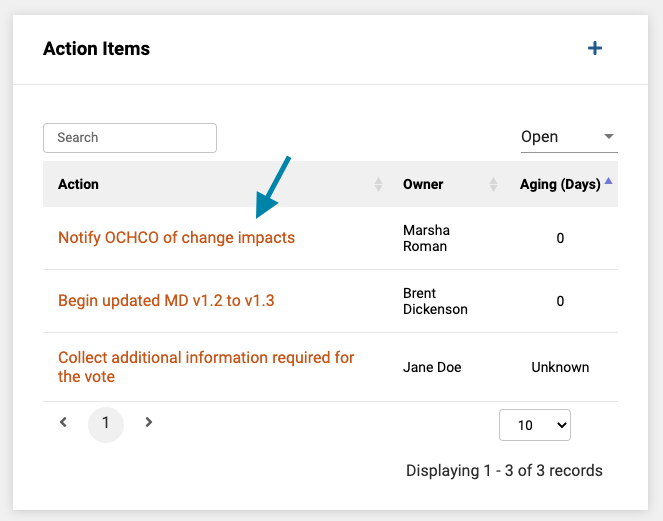
- Next, once the group page opens, click on the name of the action item you wish to mark complete.
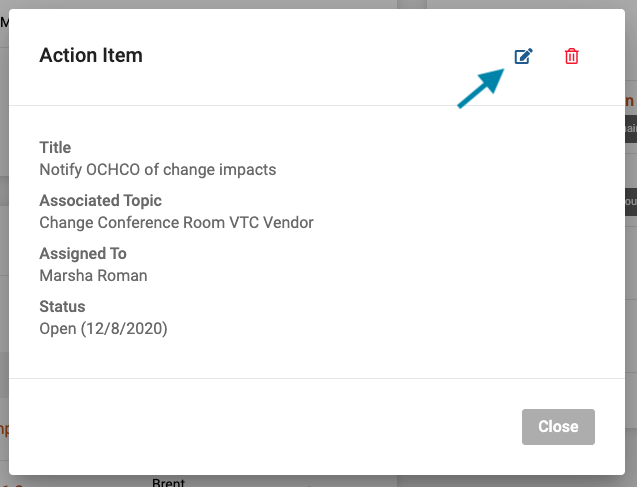
- Next, click on the 'edit' icon in the upper right corner of the action item form.
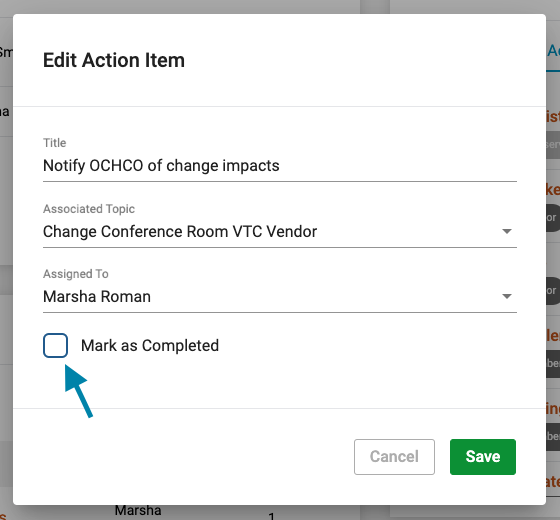
- Lastly, check the 'Mark as Completed' checkbox and click the green 'Save' button in the bottom right corner of the form.
Comments
0 comments
Article is closed for comments.