Important Notes:
- A meeting series, once created, can only be edited or modified at the individual meeting level. This is due to the manner in which GovernSpot associates certain information with specific meetings such as attendees, agendas, and minutes.
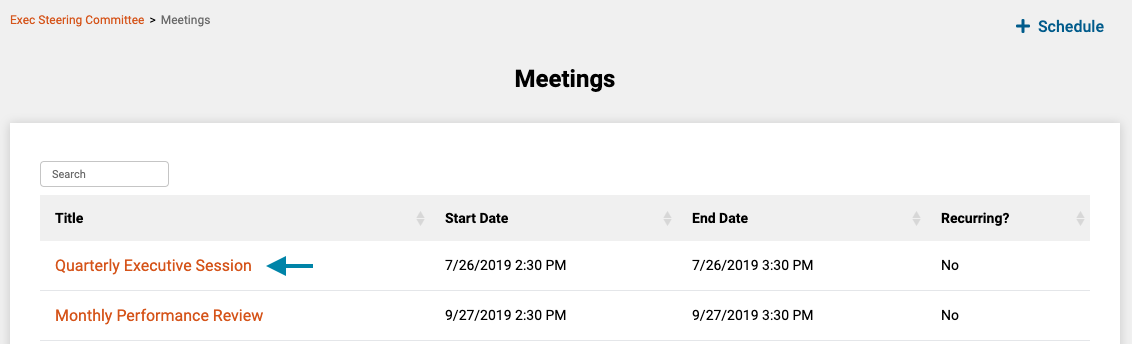
- First, access the meetings list for the current group by clicking on the 'Meetings' link in the header of the application.
Note: You can also access a Meeting by clicking on the meeting title in the 'Meetings' frame on the associated group's home page.

- Next, click on the title of the meeting you wish to modify to open the meeting's home page.
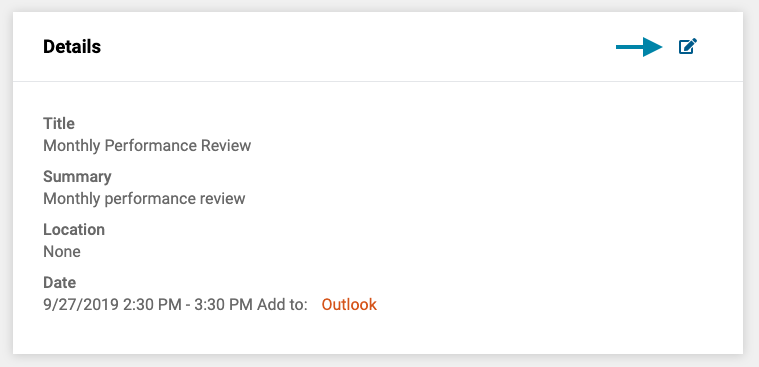
- Next, click on the 'Edit Meeting' icon to edit the meeting schedule/logistical details.
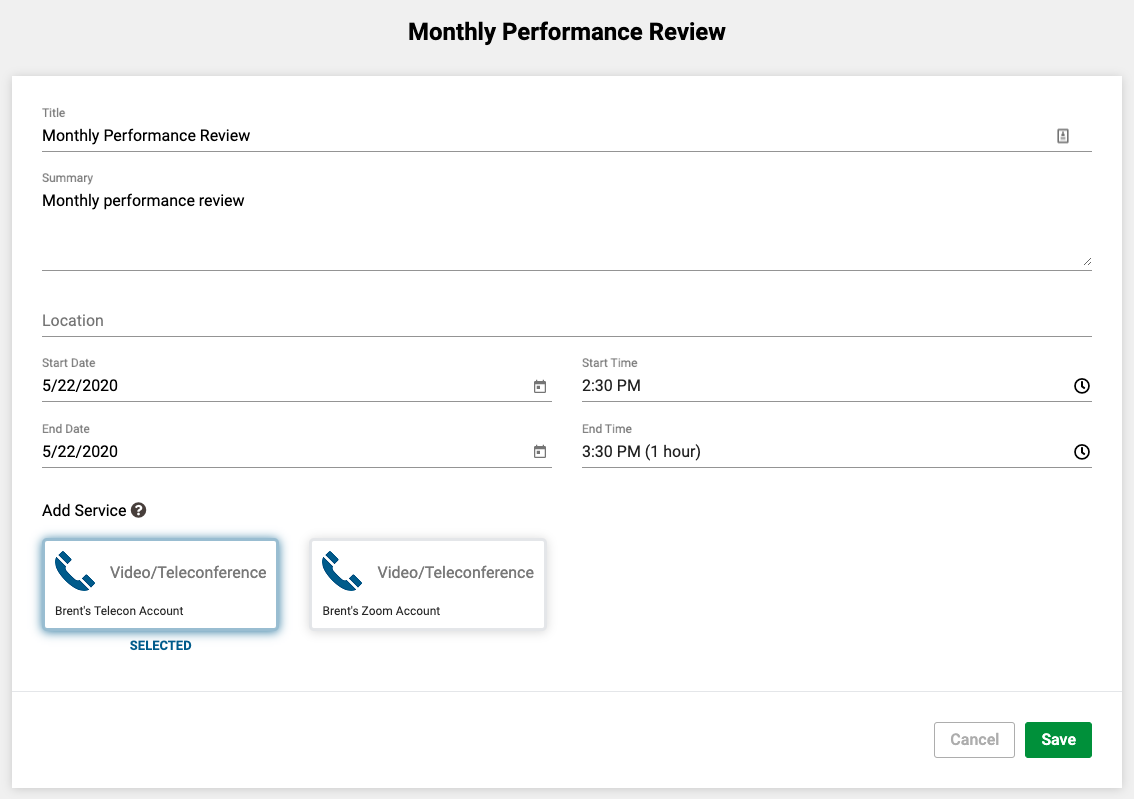
- Lastly, edit the meeting details and click the meeting details such as the title, location, or start and end date/times and click the 'Save' button in the lower right corner of the form.
Note: All original or added invitees will receive an updated invitation to the meeting with the revised information.
Comments
0 comments
Article is closed for comments.