Important Notes:
- There are 2 ways to cancel your account subscription - reverting your account back to a 'Basic' (free) subscription-level or deactivating and permanently deleting your account.
1. Reverting a Paid Subscription to a Free Basic Subscription
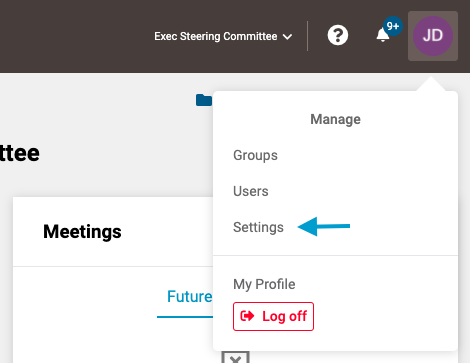
- First, access the settings options by clicking on your user icon in the upper right corner of the screen and selecting 'Settings'.
Note: GovernSpot's free 'Basic' tier only allows 1 active group and 15 active users at a time. To revert your account to this level, you will need to deactivate any active groups and/or active users that exceed these limits.
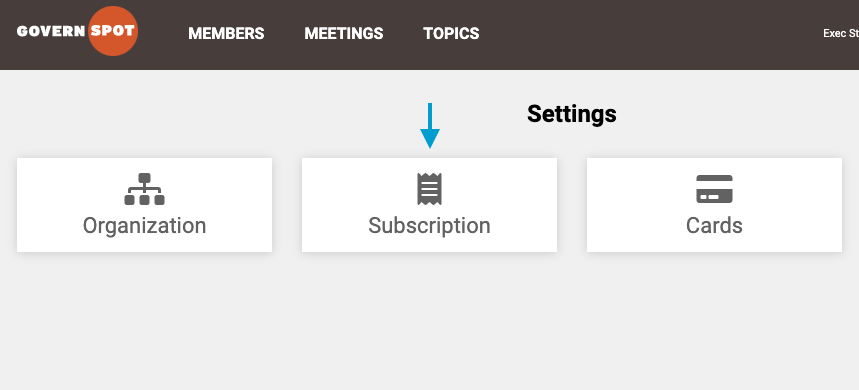
- Next, select 'Subscriptions' from the menu.
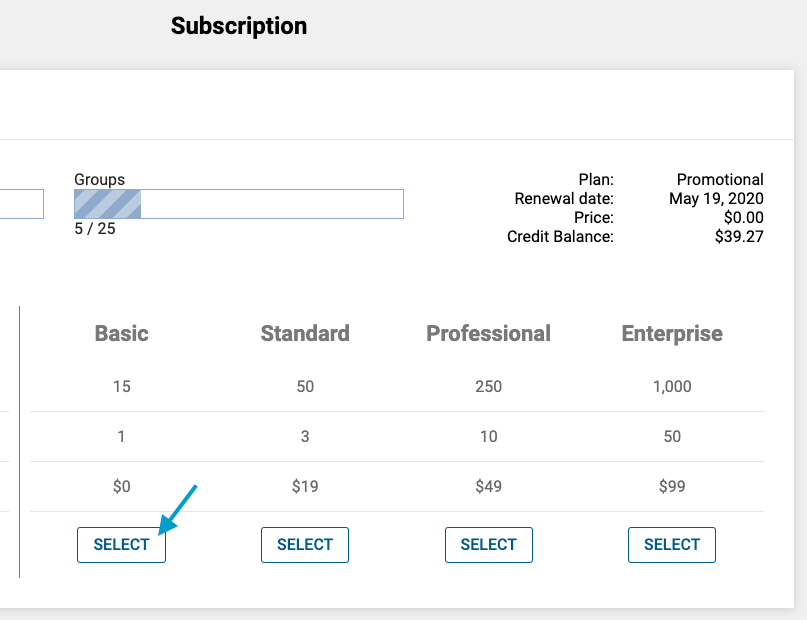
- Next, click the 'Select' button under the Basic Tier option.
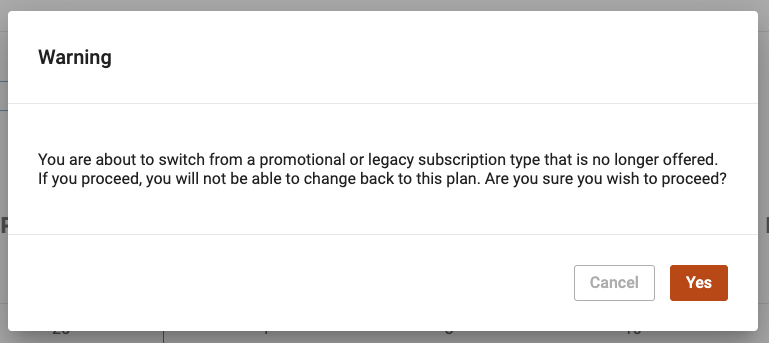
- Lastly, confirm your desire to revert your account to the Basic tier by clicking the orange 'Yes' button in the lower right corner of dialogue box.
Note: If your current subscription is no longer available, you will not be able to revert back to that subscription once you have switched your subscription type.
2. Deactivating and Permanently Deleting Your Account
To permanently delete your account, please open a support ticket with your request here.
Comments
0 comments
Article is closed for comments.