Important Notes:
- When you uninstall a Zoom account from GovernSpot, you will be presented with an option to save past and future Zoom meeting coordinates. If you chose not to save these details, GovernSpot will replace Zoom meeting details as noted below.
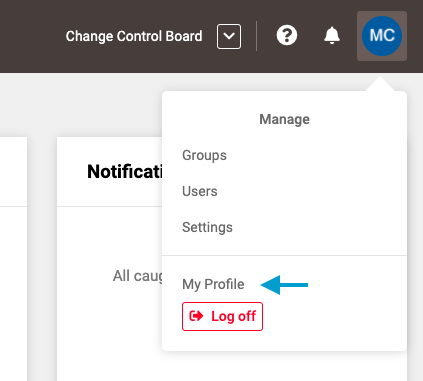
- First, select 'My Profile' from the drop down menu located in the upper right corner of the application.
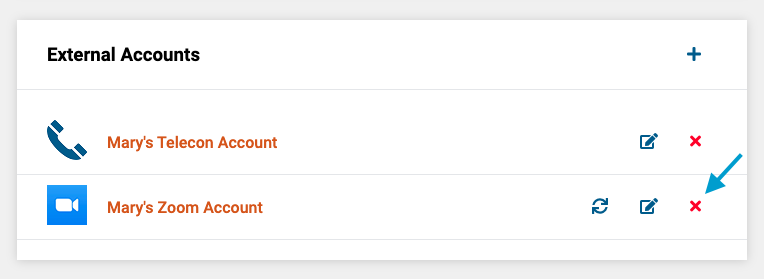
- Next, click the 'X' icon next to name of the account you wish to disconnect.
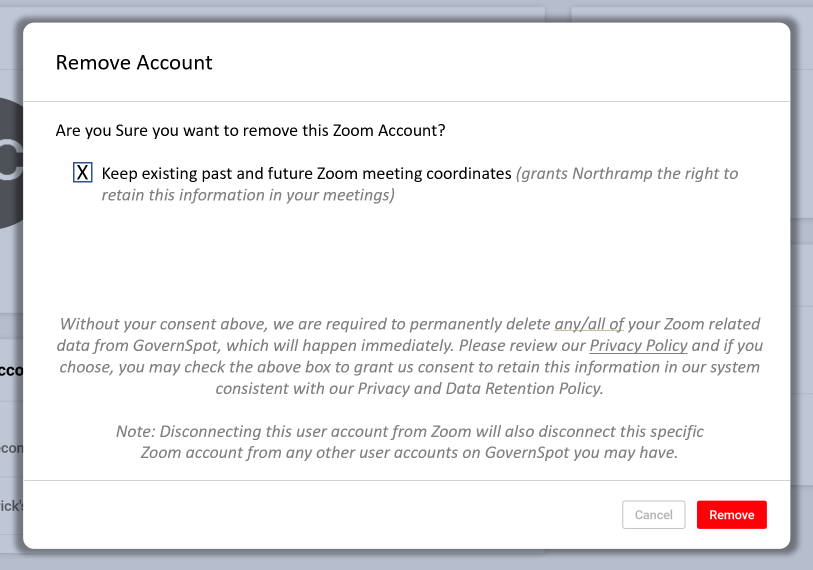
- Next, Deselect or select the option to retain Zoom meeting details for any past or future meetings associated with the account.
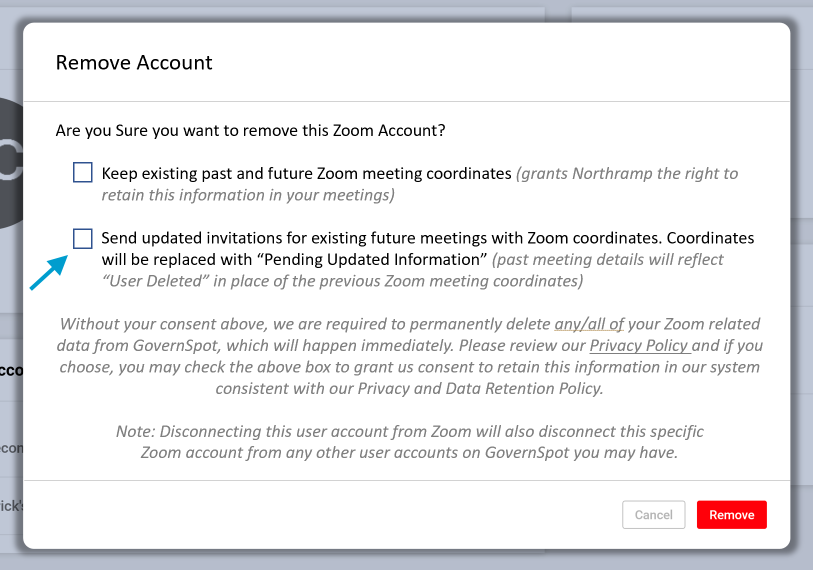
Note: If you choose not keep existing past and future meeting details, the system will automatically change any saved Zoom meeting details in past meetings with "User Deleted" and change any Zoom meeting details in future meetings with "Pending Updated Information".
- Lastly, if you elect not to keep Zoom meeting details for past and future meetings, select whether you wish the system to automatically send updated invites to existing future meeting invitees reflecting that the meeting details will be updated.
Comments
0 comments
Article is closed for comments.